
AWS Application Migration Service moves physical, virtual, or cloud servers into native Amazon EC2 instances, and for Australian teams it gives you a 90-day free window per source server plus continuous replication and test launches before cutover. If you're staring at an ageing estate and a ticking deadline, that combination is usually the cleanest path to an AWS landing zone in Sydney or Melbourne without dragging the migration through a long re-architecture cycle.
Table of Contents
- What AWS Application Migration Service Actually Does for Australian Teams
- Inside the MGN Replication and Cutover Workflow
- The 90-Day Free Window and the Actual Cost of Running MGN
- Benefits, Limitations, and Where MGN Fits Best
- How AWS MGN Compares to Azure Migrate, GCP Migrate, and CloudEndure
- Real-World Scenarios for Enterprises, NGOs, and Startups
- A Practical MGN Migration Checklist and Next Steps
What AWS Application Migration Service Actually Does for Australian Teams
An Australian operations manager usually doesn't start with a neat architecture diagram. They start with a crowded rack, a VMware cluster that's past its comfortable life, and a board asking whether the workload can stay in-country. In that situation, AWS Application Migration Service is the blunt instrument that gets the job moving, because it rehosts servers into AWS without asking the application team to rebuild everything first.
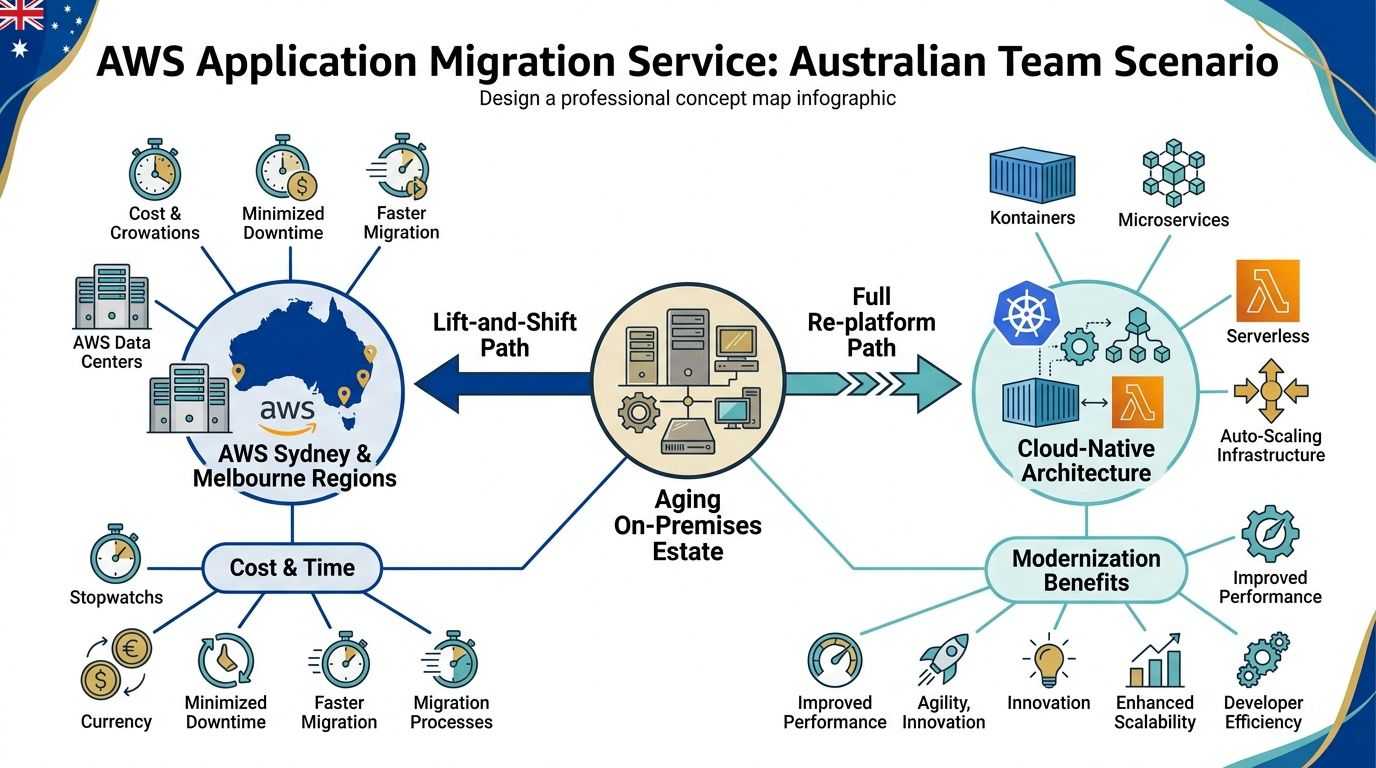
MGN is a block-level rehosting tool. AWS says it automates the conversion of physical, virtual, or cloud servers into native EC2 instances, and it copies data from directly attached block storage on the source server to Amazon EBS on AWS (AWS Application Migration Service overview). For Australian organisations, that matters because it gives you a straight lift-and-shift path into Asia Pacific (Sydney) or Asia Pacific (Melbourne), rather than forcing replication through an overseas target region (AWS Application Migration Service regions).
Practical rule: if the business wants the server moved first and modernisation later, MGN is the right starting point. If the business wants a redesign now, MGN is the wrong first move.
I've seen this approach work best on legacy Windows estates, ageing Linux boxes, file servers, and small VMware footprints in branch offices. Those workloads usually don't need a new application model on day one, they need continuity, testability, and a controlled cutover. AWS also states that the service is free for 90 days, or 2,160 hours, per source server, which gives teams a real migration window if they move with discipline (MGN pricing and FAQs).
The point is simple. MGN is the rehosting lever in the 6R model, not a modernisation platform. If you use it that way, it buys time and reduces risk. If you expect it to solve old application design, licensing messes, or brittle dependencies, it will disappoint you.
Inside the MGN Replication and Cutover Workflow
Start with the staging subnet. If that network layer is sloppy, the rest of the migration gets harder fast. AWS uses it to host lightweight EC2 replication servers, and the staging subnet must be set in the replication settings template (AWS blog on MGN lift-and-shift migrations). Treat that subnet as core migration infrastructure, not a temporary side note.
Replication comes first
The source server installs an AWS Replication Agent. That agent captures block-level changes and sends them to the replication server in the staging subnet over port 1500. AWS then writes the data to EBS-backed staging volumes and keeps syncing in the background. The source workload stays online during this phase, which is why MGN suits live migration work.
Test before you touch production
Once launch settings are ready, run a non-disruptive test launch. AWS says each new cutover replaces the previous test instance and its dependent resources, then launches a fresh cutover instance from the latest source-server state (AWS cutover behaviour). That behaviour is exactly what migration teams need. Test instances should be disposable, and every test should reflect the current state of the source.
Cutover is a controlled promotion
Cutover means freezing writes, letting replication lag drain, then starting the production instance from replicated data. After that, traffic shifts through DNS or route changes, while replication continues into staging rather than into the launched instance. The result is a controlled promotion, with a longer reversal window than many teams expect.
The staging subnet is also where hidden effort shows up. Put it in a private subnet with the right outbound path, and replication traffic stays inside the AWS backbone. That avoids a messy network exception for a temporary migration layer. Australian teams should care about that because it keeps data handling cleaner, reduces unnecessary network exposure, and keeps separation between migration traffic and production traffic tidy. If you plan cutover badly, the technical steps still work, but the operating model becomes expensive and awkward very quickly.
The 90-Day Free Window and the Actual Cost of Running MGN
A common assumption is that the free part of MGN starts when the project starts. It does not. AWS says the service is free for 2,160 hours per source server, and that clock begins when replication starts, not when the migration team gets internal approval (MGN FAQ). If your network team, security team, or app owners take time to sign off, that delay comes straight out of the free window.
Australian teams also need to separate the MGN service from the AWS bill around it. The service fee is free, but the AWS infrastructure charges still apply, including the staging replication server, EBS-backed staging volumes, test instances, cutover instances, and the compute and storage you keep after promotion (MGN overview). The tool may look cheap on paper. The environment around it is where the spend shows up.
| Cost Component | Free for 90 Days? | Indicative Monthly Cost (AUD) |
|---|---|---|
| MGN service usage | Yes | $0 |
| Staging EBS volumes | No | Varies by server size and change rate |
| Replication server in staging subnet | No | Varies by instance footprint |
| Test launch resources | No | Temporary, but billed while running |
| Post-cutover EC2 and EBS | No | Ongoing production cost |
| Licence and application support | No | Depends on workload and vendor terms |
For a 1 TB source server, staging costs alone can land in the $80 to $150 per month range, depending on footprint and replication behaviour. Treat that as a planning guardrail, not a quote. Real cost moves with data churn, storage design, and how long you leave test or staging resources running. If cutover slips, the spend rises fast because you pay for both environments during the transition, then keep paying for the new one after the old one is retired.
Commercial reality: delayed cutover is the cost trap. The free window gives you room to test, not permission to drift.
Use the free period with discipline. Right-size staging volumes, stop test instances as soon as validation ends, and make early decisions on which servers to rehost, retire, or modernise. If you are planning a migration in Australia, the cost conversation should happen before design freeze, not after the first bill lands. A practical planning guide such as this overview of AWS migration costs in Australia helps teams set expectations early.
Benefits, Limitations, and Where MGN Fits Best
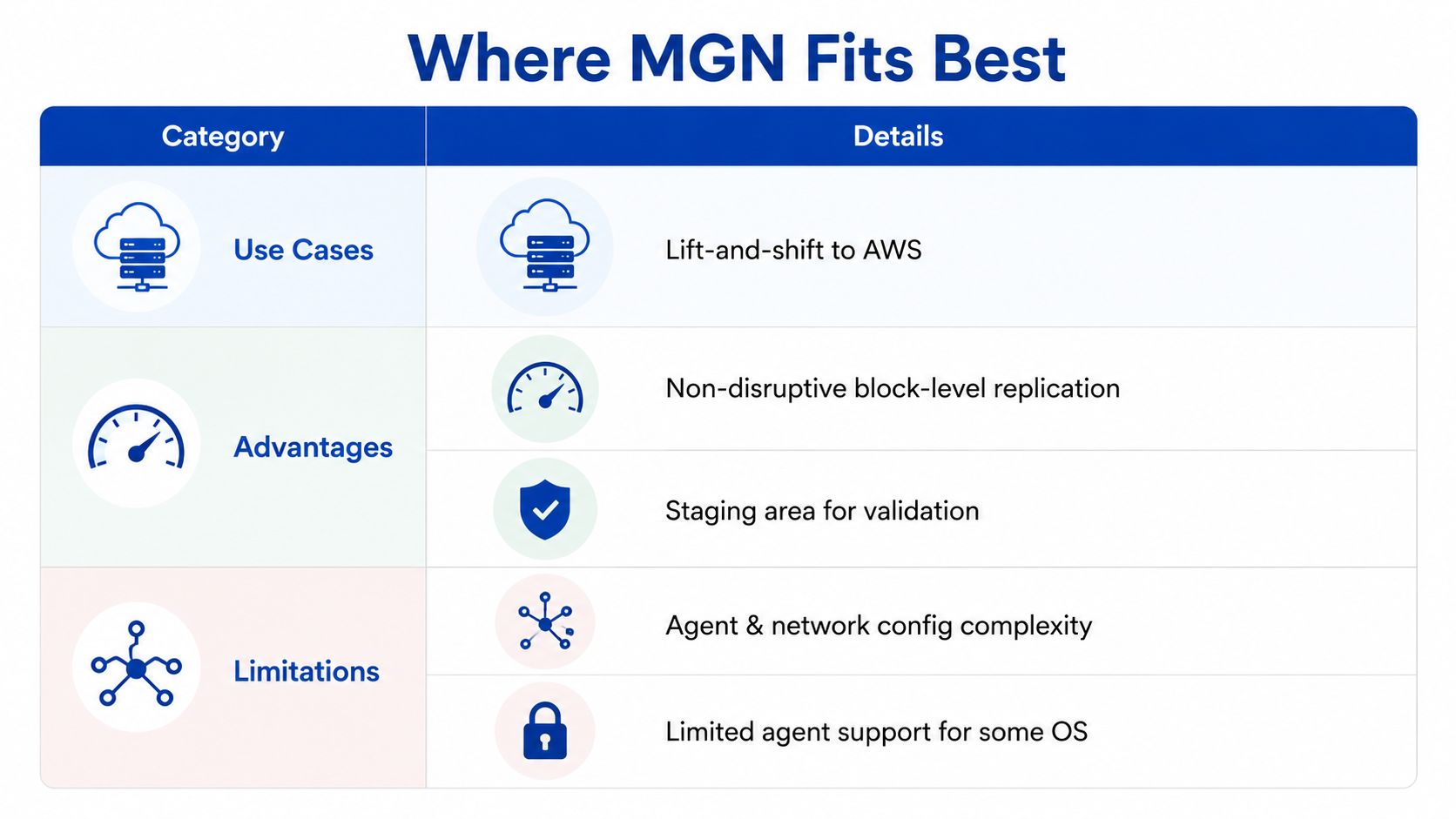
MGN earns its place when the business wants a safe rehost, not a redesign. The clear upside is continuous block-level replication, which keeps source systems running during sync and lets you test-launch in Sydney or Melbourne without touching production. AWS also gives you the 90-day free replication window, which is enough for many lift-and-shift projects if the wave plan is disciplined (MGN FAQ).
Where it fits cleanly
MGN suits workloads that need to move fast, especially legacy VMware estates under exit pressure, regulated workloads that need minimal architectural change, and old servers that are more valuable in AWS than they are in a failing data centre. It also suits organisations that want to preserve server identity and move the platform first, then decide on application modernisation later.
Where it falls short
MGN rehosts the operating system, not the application. That means Windows licence choices, SQL Server posture, database version drift, and hard-coded dependencies don't disappear just because the VM is now in EC2. You still need to reapply monitoring agents, backup policies, DNS dependencies, and operational controls after cutover. If those tasks aren't planned, the migration finishes and the support calls begin.
A common mistake is to treat MGN as a permanent home. That turns lift-and-shift into a long-term architecture decision by accident, and the organisation ends up carrying old operating assumptions into AWS. That is where cloud bills rise and resilience work stalls.
If you want a blunt filter, use this one. MGN is the right tool for tight timelines, minimal change, and in-country rehosting. It's the wrong tool for greenfield builds, container-first teams, or workloads that need a right-sizing exercise as part of migration.
How AWS MGN Compares to Azure Migrate, GCP Migrate, and CloudEndure
Choose the destination first, then pick the migration tool. That sounds obvious, but too many teams reverse it and spend money fixing the mismatch later. MGN is strongest when AWS is the target, because it's wired directly into the EC2 launch path and built around AWS migration workflows.
| Feature | AWS MGN | Azure Migrate | GCP Migrate to VMs | CloudEndure |
|---|---|---|---|---|
| Replication method | Continuous block-level replication | Agentless and agent-based options | VM migration workflows to Compute Engine | Continuous replication, legacy AWS-owned tool |
| Free replication duration | 90 days per source server (AWS FAQ) | 180 days | Shorter entitlements | Not positioned as the main migration window |
| Target platform | EC2 | Azure target environment | Compute Engine | Disaster recovery and recovery workflows |
| Licensing posture | BYOL support is common in AWS migration planning | Azure-native posture | GCP-native posture | Older AWS recovery model |
| Post-cutover tooling | Deep AWS console integration | Azure landing-zone alignment | GCP tooling ecosystem | Stronger for DR than migration |
Azure Migrate is the right answer when Azure is the destination, and GCP Migrate to Virtual Machines is the right answer when Compute Engine is the target. CloudEndure still matters in disaster recovery conversations, but it's not the tool I'd pick when the mission is a clean migration into AWS. MGN is the clearer fit for AWS-bound rehosting because the service, the console, and the target instance model line up cleanly.
If I were advising a CTO, I'd put it this way. Pick MGN for AWS, Azure Migrate for Azure, GCP Migrate for GCP, and CloudEndure only when recovery is the primary objective. Anything else usually means you've chosen the tool before you've chosen the outcome.
Real-World Scenarios for Enterprises, NGOs, and Startups
The best way to judge MGN is by the shape of the workload, not the size of the logo. A mid-market enterprise with an ageing VMware estate across Sydney and Melbourne, for example, usually needs a wave-based move. In that case, MGN can replicate servers into AWS, the team can test-launch in a non-production account, and cutover can happen in controlled waves after hours. That solves the platform exit problem, but it doesn't solve application debt or storage clean-up.
An NGO often has a different pain point. A donor database, file servers, and print services scattered across regional offices can be more expensive to maintain than they look on paper. MGN gives that team a way to consolidate into a Sydney region VPC and keep the donor CRM logic intact, which is useful when the organisation can't afford a full rebuild. The trade-off is that the old application model still needs governance, backup discipline, and a support owner after the move.
A startup case looks simpler, but it can be just as unforgiving. If one production monolith sits on a single bare-metal box offshore and the business now needs an Australian presence for latency reasons, MGN can get that server into AWS quickly. A weekend test-launch followed by a Monday cutover is a credible path, but it only works if someone has already thought through load testing, support coverage, and what happens if the monolith doesn't like the new environment.
MGN fixes the move. It doesn't fix the operating model behind the move.
That's the pattern across all three scenarios. The tool removes the replication headache, but the organisation still needs to decide who owns the new environment, how incidents will be handled, and whether the application is staying as-is or being modernised after stabilisation.
A Practical MGN Migration Checklist and Next Steps
A CTO should hand this checklist to the operations lead on day one and expect progress, not debate. Start with source-server inventory validation, because incomplete discovery is where migration waves go wrong. Then size the bandwidth, place the staging subnet properly in the Sydney or Melbourne VPC, and confirm the replication health thresholds before the first test launch.
Use this as the cutover gate
- Validate server inventory: confirm hostnames, OS versions, attached storage, and business owners before replication starts.
- Size the network and staging subnet: make sure the replication path, NAT, and private subnet design are ready before agents are installed.
- Monitor replication health: don't wait for cutover day to discover a server has been lagging for days.
- Run isolated test launches: validate the application in a non-production subnet, not in a shared environment.
- Get application owner sign-off: no sign-off means no cutover.
- Schedule the cutover window carefully: pick a time when the business can tolerate a rollback if needed.
- Capture post-cutover EBS snapshots: keep a clean recovery point after promotion.
- Track the 90-day window per server: every source server has its own free clock, so manage it explicitly (AWS FAQ).
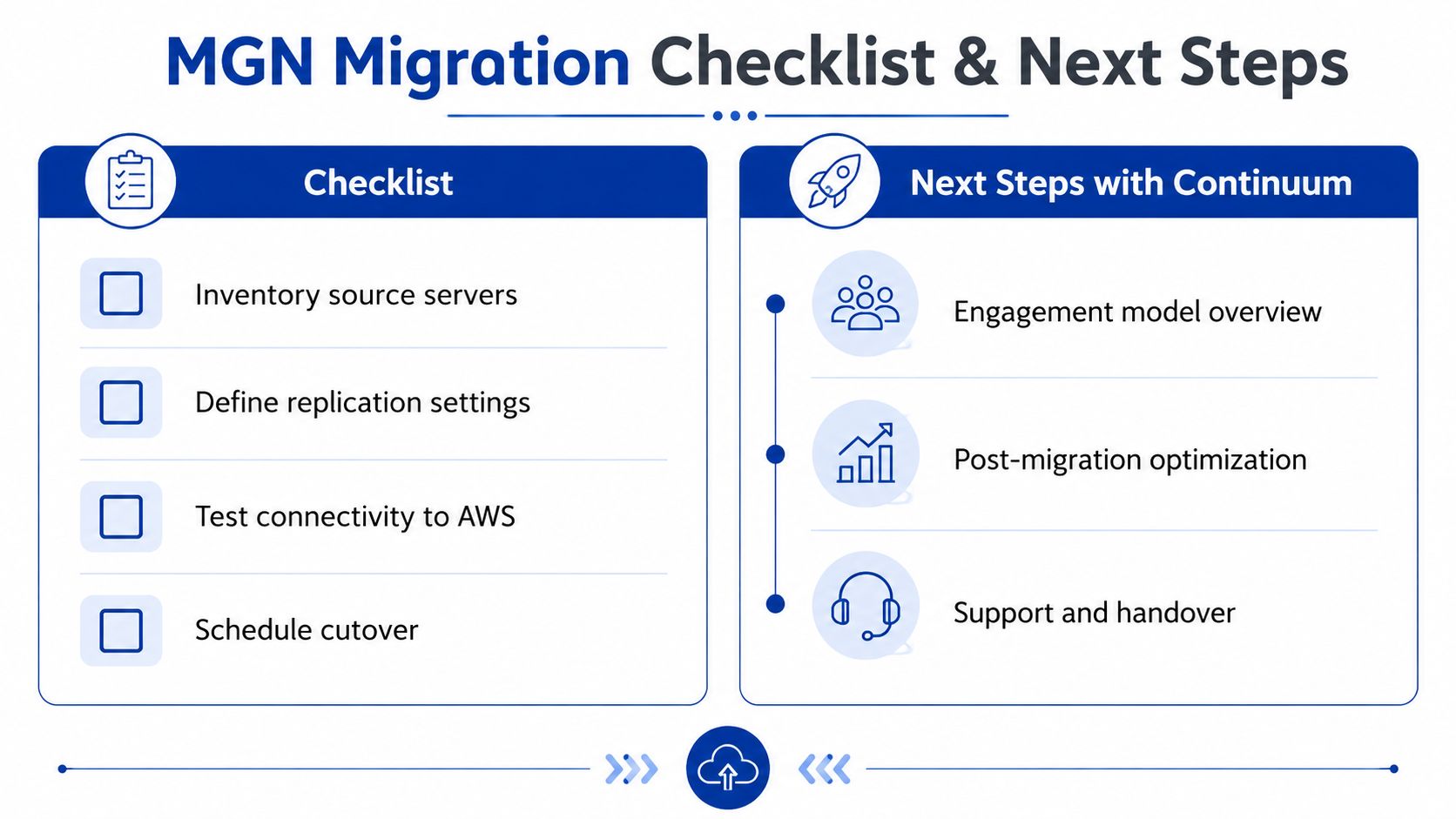
A good engagement usually starts with a discovery workshop, then moves into template deployment, wave planning, cutover runbook authorship, and a post-migration optimisation review. That sequence keeps the migration disciplined and gives the CTO a way to separate the platform move from the later modernisation work. For teams in Melbourne, the most practical entry point is often a dedicated architecture session with Continuum Solutions' AWS partner solution architect in Melbourne, because the landing-zone, support, and cutover decisions are tightly linked.
If you want a clean first step, book a discovery call, ask for a sample wave plan, and pilot MGN on a non-production workload first. That's the fastest way to prove the workflow, surface the cost traps, and decide whether rehosting or modernisation should happen next.
If you're planning an AWS migration and want a migration runbook that's tied to your actual workloads, Continuum Solutions can help with discovery, wave planning, staging design, and cutover control. Visit Continuum Solutions to book a practical conversation about whether AWS Application Migration Service is the right fit for your Sydney or Melbourne migration.