
Australia's disconnected digital systems waste AU$1.4 billion each year on unused digital tools, while only 18% of Australian businesses are fully integrated, according to HubSpot's 2025 Australian executive report. That reframes Salesforce integration with HubSpot. The difficult part isn't installing a connector. It's deciding which platform owns each record, how fields resolve conflicts, how consent travels between systems, and when legacy processes can safely be retired.
Australia is already a significant HubSpot market. A 2026 scan of HubSpot technology adoption identified 15,442 Australian domains using HubSpot, making Australia the third-largest market globally after the United States and the United Kingdom. The same dataset identified 1,880 companies using the HubSpot-Salesforce integration, including Thryv Australia & New Zealand.
For an Australian enterprise, NGO or growing services organisation, this means a Salesforce and HubSpot project should be treated as an operational architecture programme, not a plug-in installation. The five decisions that matter are system ownership, integration method, data mapping, privacy design and migration control. Get those right, and the connector can remove manual work. Get them wrong, and it just automates duplication at greater speed.
Table of Contents
- Why Salesforce and HubSpot Integrations Fail
- Comparing Your Salesforce HubSpot Sync Options
- Authentication, Security and Consent Design
- Mapping Your Data Model and Setting Conflict Rules
- Running an Incremental Migration and Validation Plan
- Monitoring, Error Handling and the Real Cost of Sync
- Your Implementation Checklist and Next Steps
Why Salesforce and HubSpot Integrations Fail
The most common failure is allowing both platforms to behave as if they're authoritative. Marketing updates lifecycle data in HubSpot, sales changes lead status in Salesforce, an automation modifies both, and nobody can explain which value should win. The result is duplicate contacts, conflicting account information, stalled handoffs and reports that different departments no longer trust.
The connector is usually only the visible symptom. The underlying problem is an undefined data model. HubSpot is often used for marketing engagement and early lifecycle movement, while Salesforce manages accounts, opportunities, forecasting and sales ownership. Those responsibilities can work together, but only when the handoff is deliberate.
Practical rule: Don't synchronise a field until someone has accepted responsibility for its meaning, owner and change policy.
A sound implementation makes five decisions before configuration begins:
- System of record: Identify whether Salesforce or HubSpot owns each object and important field.
- Sync direction: Decide whether data moves one way, both ways or only under a defined condition.
- Conflict resolution: Specify what happens when both systems contain different values.
- Lifecycle handoff: Define the exact event that transfers responsibility from marketing to sales.
- Operational control: Establish monitoring, error triage, consent evidence and rollback procedures.
That approach matters particularly in Australia, where mature CRM usage often means the project includes spreadsheets, point solutions, finance tools, support platforms and historic manual processes. The Continuum Solutions case studies reflect the kind of broader systems context that integration teams need to consider, rather than treating CRM synchronisation as an isolated task.
A native connection can be operationally reliable when the data model is simple. It cannot decide whether a donor record, member account, sales lead or opportunity should be controlled by a particular department. Nor can it resolve an organisational disagreement about whether a blank value should overwrite a populated one. Those are governance decisions, and the integration must encode them explicitly.
Comparing Your Salesforce HubSpot Sync Options
Three implementation paths are realistic: the native HubSpot-Salesforce connector, an integration platform as a service, or custom API development. The right choice depends on object complexity, transformation requirements, internal capability and how often business processes change.
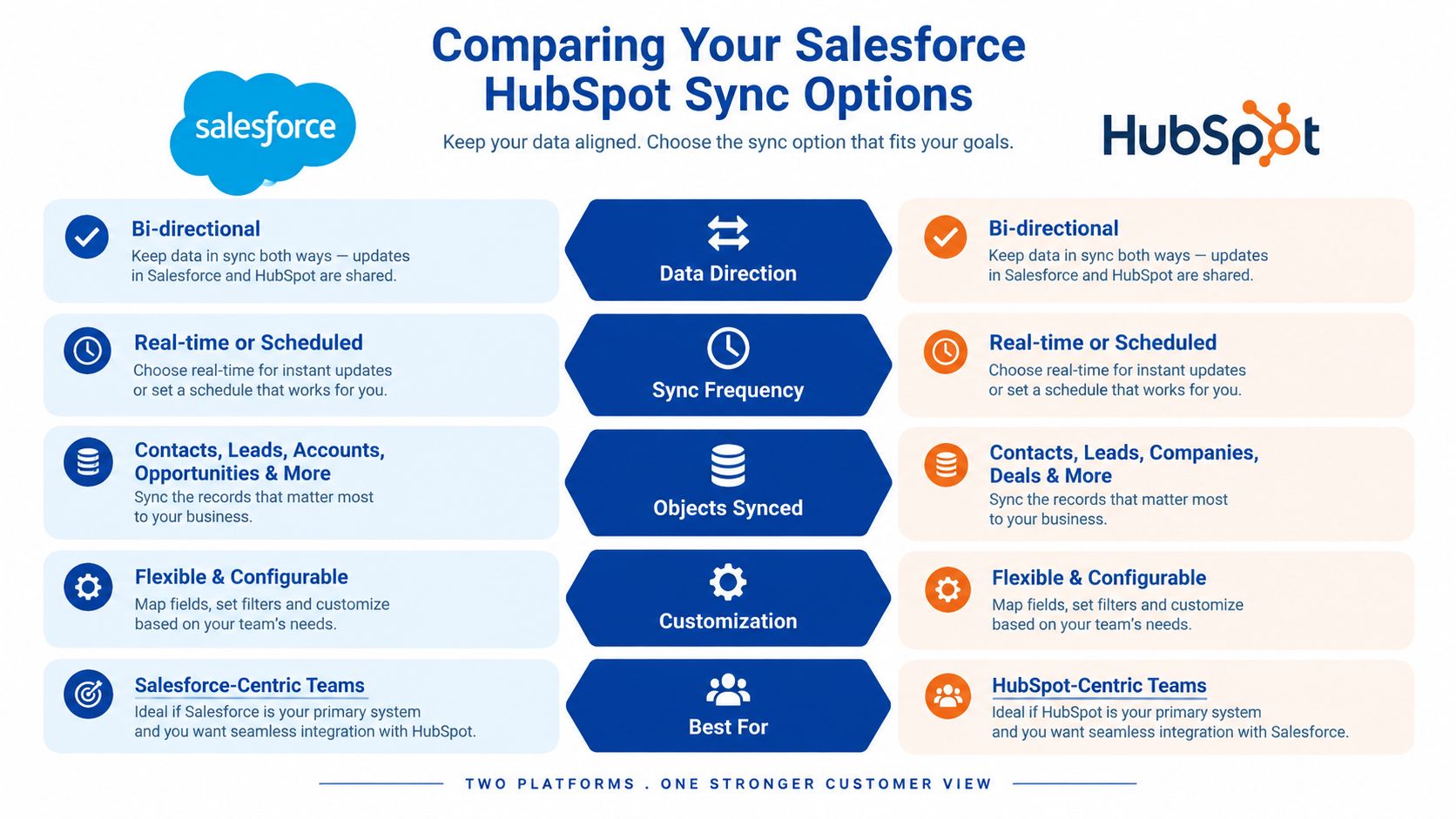
The native connector is the sensible starting point for standard contacts, companies, leads, deals, tasks and straightforward marketing-to-sales handoffs. HubSpot documents a staged setup that includes installing the Salesforce app, selecting a production organisation or sandbox, authorising access and validating synchronisation settings. Its Data Sync path can also support custom objects, but custom-object work still requires careful modelling and testing. HubSpot's Salesforce installation guidance describes that connection flow.
An iPaaS tool is more suitable when a team needs visual workflows, routing, transformations or connections to other business systems without maintaining a fully custom integration service. Workato, Make and Zapier-class tools can be effective for bounded workflows, while enterprise platforms may provide stronger governance, logging and deployment controls. Their weakness is that complex branching, high-volume traffic and extensive exception handling can become difficult to understand and expensive to maintain.
Custom API development gives the greatest control over identity matching, transformation, retries, audit logging and integration with internal applications. It also creates the largest engineering obligation. Your team owns the code, security reviews, deployment process, testing and future API changes.
| Criteria | Native Connector | iPaaS | Custom API |
|---|---|---|---|
| Setup effort | Lower for standard objects | Moderate | Highest |
| Custom objects | Supported where the model fits | Flexible with workflow design | Fully controllable |
| Transformations | Limited to connector rules | Strong visual transformation | Precisely engineered |
| Maintenance | Platform configuration and mapping upkeep | Workflow, platform and subscription upkeep | Code, infrastructure and API upkeep |
| Best fit | Conventional marketing and sales handoffs | Multiple systems and conditional workflows | Complex enterprise or mission-critical integration |
| Main risk | Logic exceeds native behaviour | Workflow sprawl and platform dependency | Long-term engineering ownership |
I recommend the native connector when records are conventional, sync volumes are manageable and the organisation can accept its mapping and conflict model. Choose iPaaS when the integration must coordinate Salesforce and HubSpot with finance, support, billing or operational systems. Choose custom API development when identity resolution, consent enforcement, complex transformations or auditability are central requirements.
The commercial comparison shouldn't stop at licence price. Include discovery, data cleansing, sandbox testing, deployment, monitoring, incident response and future changes. A cheap connector can become the expensive option if every new business rule requires a workaround.
For teams assessing custom integration services from Continuum Solutions, the useful question isn't whether custom development is technically possible. It's whether the cost of controlling the data flow is lower than the operational cost of inaccurate records, manual reconciliation and fragile automation.
Authentication, Security and Consent Design
Authentication is the first control point. HubSpot's documented setup uses OAuth, with the Salesforce production organisation or sandbox selected during configuration. Salesforce also lists HubSpot as a supported CRM Analytics connector, with OAuth configuration, Client ID and Secret mapping, and a Save & Test process. Salesforce's connector guidance confirms that this is a supported integration pattern rather than an improvised API exchange.
Separate production and sandbox credentials. A test connection must never expose live customer, donor or member records. Review the connected app's permissions, grant only the data required for the integration, and assign an owner for credential rotation and access reviews. Record which system owns each credential, who can approve scope changes, and how access is revoked when staff or suppliers leave.
A consent-first design for Australian teams
Record synchronisation does not preserve privacy intent by itself. A contact may consent to email but not SMS, or accept one organisation's notice while another operational team later uses the data. Your design must retain channel-specific consent provenance, including collection source, applicable notice, status-change time and authoritative system.
Use a central consent register or define one clear consent authority. Synchronisation rules should carry channel permissions and suppression status between platforms. They must also prevent an older or less authoritative value from reversing a valid unsubscribe.
The 2026 privacy guidance discussed in Australian CRM privacy analysis highlights traceable consent, evidence such as screenshots or logs, and end-to-end unsubscribe testing. Make these tests a go-live gate. Do not defer them until after launch.
Security checklist
- OAuth scope: Confirm the connection accesses only the required Salesforce and HubSpot data.
- Environment separation: Test in a sandbox before authorising production records.
- Consent provenance: Record source, notice, channel and status history.
- Suppression logic: Verify that an unsubscribe remains effective after bidirectional updates.
- Audit evidence: Retain connection, mapping and consent-change logs.
- Access ownership: Document permission approvers and privacy-incident investigators.
- Negative testing: Test revoked consent, deleted users, invalid records and failed authentication.
Apply the same boundary rules to billing and payment workflows. A clearly scoped Stripe integration approach should exchange only the required data and avoid creating another uncontrolled customer record. That decision protects consent history, limits access exposure and makes later system decommissioning easier.
Mapping Your Data Model and Setting Conflict Rules
Field mapping is where a Salesforce integration with HubSpot either becomes dependable or starts producing silent exceptions. The standard connector already reflects structured CRM alignment. HubSpot's default Salesforce lead and contact mapping includes fields such as Account ID, Annual Revenue, Business Phone, Email, Lead Source, Owner ID, Status, Title and Zip/Postal Code, as documented in HubSpot's lead and contact mapping reference.
That default mapping is a foundation, not a complete data model. Australian organisations often add programme, region, funding, membership, service or regulatory fields that need different ownership and validation rules.
Start with object ownership
Create a mapping matrix before opening the configuration screen. For every object and important field, record:
| Decision | Example |
|---|---|
| Object | Contact, company, lead, deal or custom object |
| Authoritative system | Salesforce or HubSpot |
| Sync direction | Salesforce to HubSpot, HubSpot to Salesforce or bidirectional |
| Match key | Email, CRM identifier or governed composite rule |
| Update trigger | Creation, stage change, owner assignment or approved edit |
| Conflict rule | Source wins, destination wins, blank-only write or manual review |
| Failure action | Retry, quarantine, alert or reject |
A contact's marketing subscription status might be governed by HubSpot, while account ownership belongs to Salesforce. A deal amount should usually have one commercial owner, not two systems competing to update it. A custom object representing a programme enrolment may require an iPaaS or API layer if neither platform's native relationship model represents it cleanly.
Make conflicts explicit
HubSpot supports manual mappings and rules such as “Prefer Salesforce unless blank”, where HubSpot writes only when Salesforce has no existing value. In the reverse direction, Salesforce values can overwrite HubSpot. HubSpot's field-mapping documentation explains these controls.
Use that rule only when it matches the business meaning. It works for a Salesforce-owned account phone number that HubSpot may fill when empty. It's dangerous for consent, lifecycle status or a value where a blank has a deliberate meaning.
Picklists must use aligned values, required fields need a valid source, and naming conventions should distinguish similar concepts. “Customer type”, “member category” and “organisation class” may look interchangeable to a developer, but they can drive different reporting and access rules.
Lifecycle handoffs deserve their own design. Define an event such as accepted lead ownership or opportunity creation, then stop marketing automation from reverting a sales-controlled stage. Don't create a new deal just because a contact reached a later HubSpot lifecycle stage. Match the existing Salesforce opportunity or route the exception for review.
Running an Incremental Migration and Validation Plan
A phased migration reduces the number of unknowns released at one time. Start with an inventory of point solutions, spreadsheets, forms, imports, automations and manual handoffs. For each important record, document which system can create, update, delete and report on it. This establishes ownership before connector configuration begins.
Map dependencies next. A spreadsheet may hold the only current programme category, a support system may own the customer identifier, Salesforce may contain opportunity history, and HubSpot may contain engagement history. Undocumented relationships surface as production incidents, often after users have already changed records in both platforms.
Use the phased pattern described earlier: establish ownership, migrate a high-value journey, test it in parallel, then retire legacy processes only after validation. A native connector is not a migration plan. The plan must define what moves, what remains, who approves each gate and when rollback stops being practical.
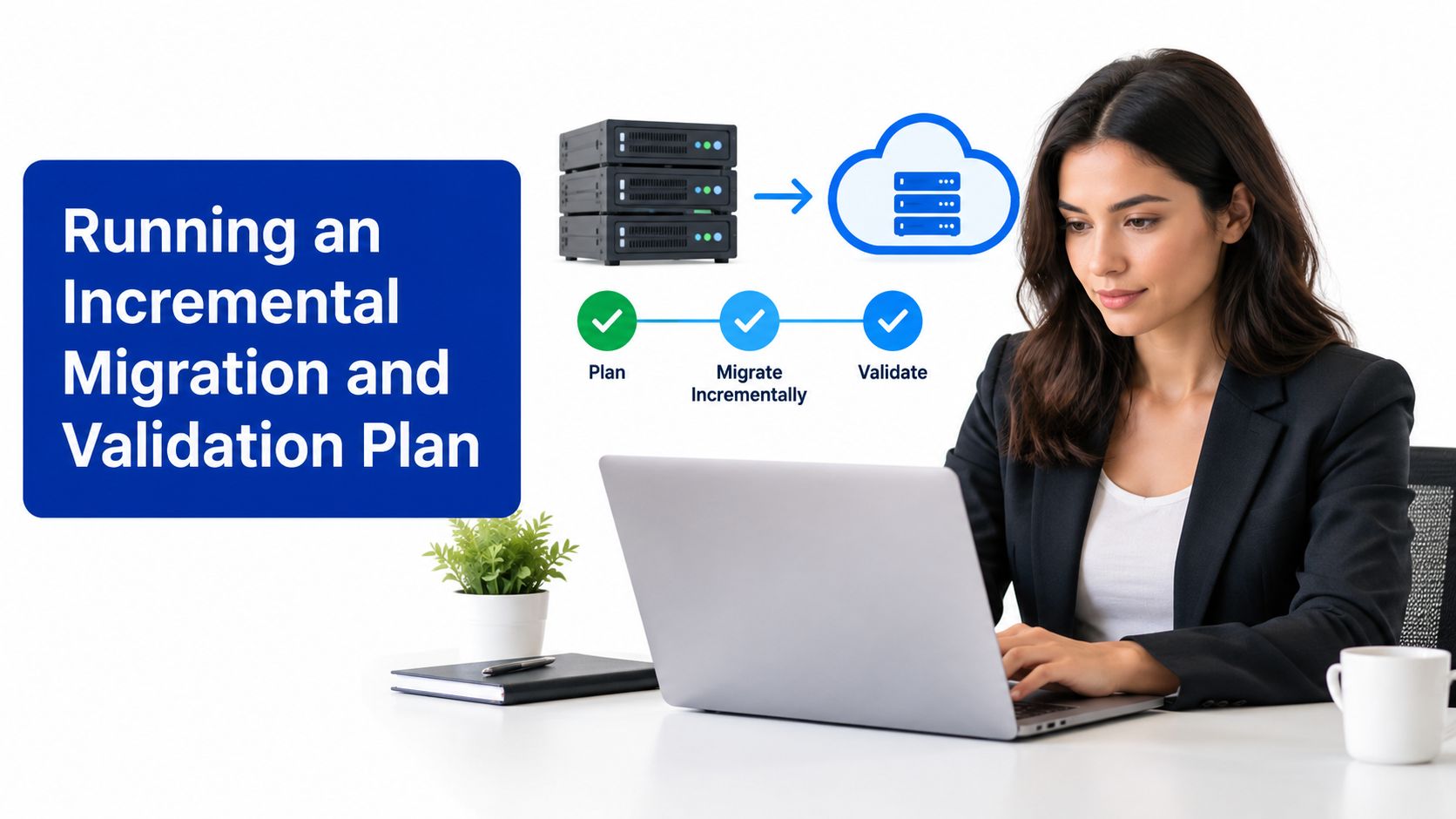
Use phase gates, not optimism
A practical sequence is:
- Inventory and design: Catalogue sources, owners, fields, dependencies and legacy workflows.
- Data preparation: Remove or quarantine duplicates, normalise values and define matching rules.
- Pilot journey: Select a contained sales and marketing process with clear business ownership.
- Parallel operation: Run the new flow beside the existing process while users compare outcomes.
- Validation gate: Check record counts, field samples, associations, ownership and lifecycle consistency.
- Controlled expansion: Add the next journey only after the previous gate passes.
- Decommissioning: Retire spreadsheets and point solutions after retention and rollback requirements are satisfied.
Consider a Melbourne NGO with HubSpot managing campaign engagement and Salesforce managing fundraising opportunities. The first rollout could synchronise a defined donor journey while leaving other programmes untouched. Marketing validates consent provenance and engagement history, fundraising validates account and opportunity ownership, and operations reconciles exports and reports before approving the next journey.
Every phase requires a rollback plan. Keep the previous workflow available, define who can pause synchronisation, preserve pre-change exports where appropriate and record which records changed during the pilot. Disconnecting the app is rarely enough. Rollback may require reversing workflow activation, restoring ownership and quarantining records created during the failed phase.
For wider infrastructure or application dependencies, Continuum Solutions' cloud migration services apply the same controlled approach: move a defined workload, measure it, validate it and then expand the migration boundary.
Monitoring, Error Handling and the Real Cost of Sync
Most integration degradation happens after launch. A mapping changes, a Salesforce user is deactivated, a required field is introduced or an upstream workflow starts generating unexpected records. Without operational monitoring, the synchronisation can continue appearing healthy while exceptions accumulate.
Monitor at three levels. First, track connection health and authentication failures. Second, review record-level sync errors and broken mappings. Third, watch latency and volume patterns so the team can identify a backlog before users report missing data.
Treat API allocation as a shared resource
HubSpot's Salesforce integration doesn't use a fixed quota. Administrators configure the Salesforce API calls allocated to HubSpot in HubSpot's Sync Health settings, while HubSpot displays the Salesforce-imposed limit as the “Limited by Salesforce” value, as described in HubSpot's integration settings documentation.
Under-allocation can create lag during busy periods. Over-allocation can leave less capacity for other Salesforce integrations and internal processes. The correct setting depends on the organisation's overall API consumption, synchronisation scope, record volume and peak activity, not on a generic recommendation.
Keep an error queue with ownership and severity. A failed phone-number mapping may be recoverable through a controlled retry. A consent suppression failure requires immediate investigation. A repeated custom-object failure indicates a design problem, not an invitation to keep retrying the same payload.
Calculate the cost beyond licences
Actual cost includes connector or iPaaS subscriptions, Salesforce and HubSpot licensing implications, discovery, cleansing, implementation, test environments, documentation, monitoring and ongoing engineering time. Add the staff cost of reconciling records when the design doesn't match operational reality.
Redesign becomes necessary when teams keep adding exceptions, the same records fail repeatedly, users maintain side spreadsheets, reports require manual reconciliation or nobody can explain ownership. Another patch may restore a workflow temporarily, but it won't resolve a data model that no longer represents the organisation.
A structured enterprise application monitoring and debugging service can help establish alerting and investigation processes across the CRM and surrounding applications. Monitoring should be part of the operating model, not a dashboard that nobody reviews.
Your Implementation Checklist and Next Steps
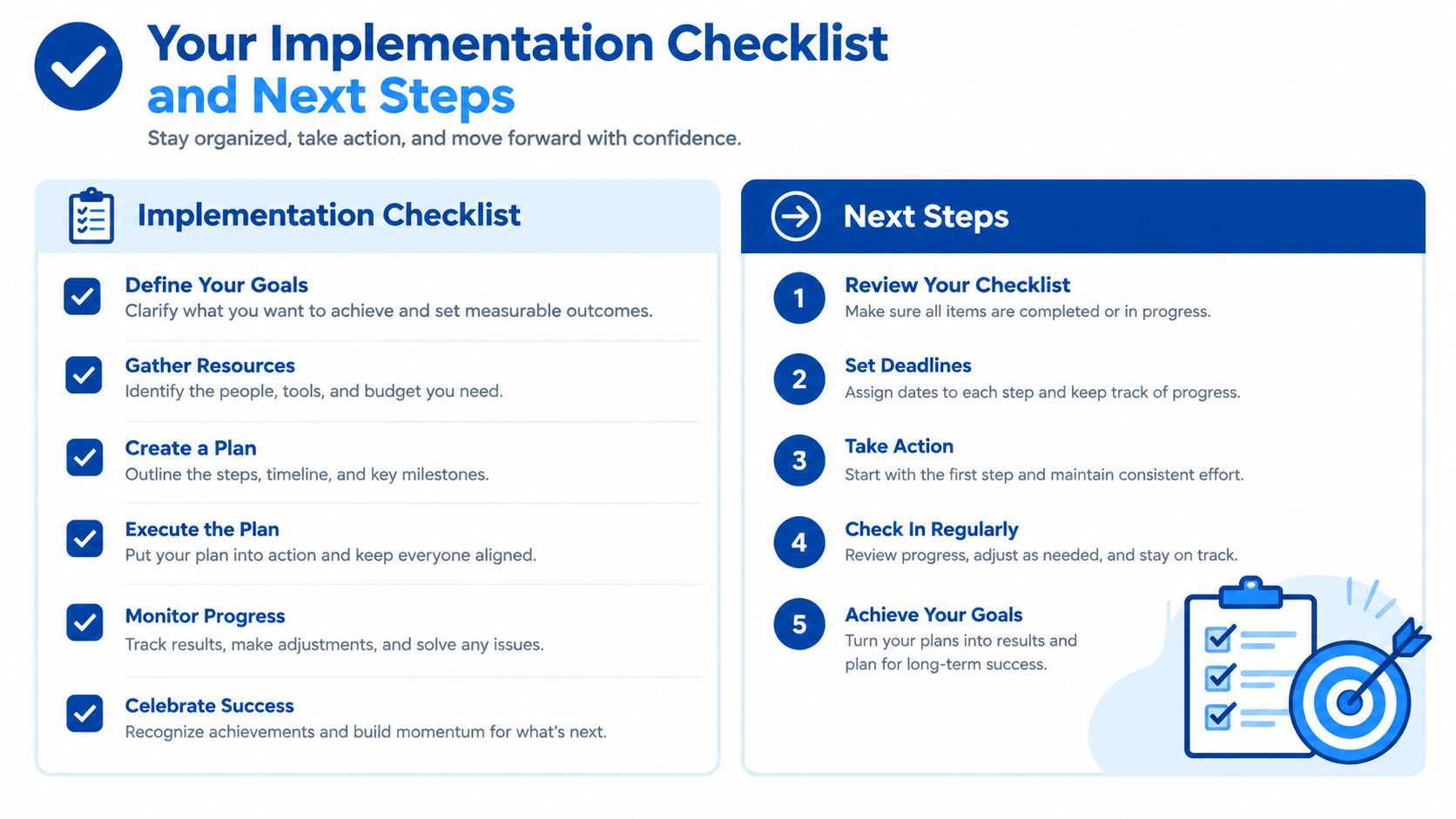
Use this as a phase-gated checklist. Each statement should be verifiable before the project advances.
Before implementation
- Inventory complete: Point solutions, spreadsheets, forms, automations and manual handoffs are documented.
- Ownership agreed: Each object and important field has an authoritative system.
- Data model approved: Match keys, associations, lifecycle stages and required fields are defined.
- Risk assessed: Privacy, security, retention and rollback requirements are recorded.
During the build
- Authentication separated: Sandbox and production connections use the correct environments.
- Permissions reviewed: OAuth and connected-app access follows least-privilege principles.
- Mappings tested: Standard and custom fields use aligned types, values and required-field rules.
- Conflicts encoded: Sync direction and blank-value behaviour are documented and configured.
- Consent protected: Channel permissions, suppression logic and audit evidence travel correctly.
Before release
- Parallel test passed: Sales, marketing and operations have compared both systems.
- Data validated: Counts, associations, ownership and field-level samples reconcile.
- Unsubscribe verified: End-to-end suppression tests pass in every connected channel.
- Rollback ready: Pause controls, exports, owners and recovery steps are documented.
After release
- Errors owned: Every error category has a triage owner and response path.
- API usage reviewed: HubSpot allocation is balanced against Salesforce's shared capacity.
- Legacy retirement controlled: Old workflows are decommissioned only after validation.
- Documentation handed over: Mappings, decisions, alerts and support procedures are current.
If your internal team has integration experience and time for data preparation, use the native connector for a contained pilot. If your IT department is overstretched, bring in help before configuration, not after production errors. Specialist support pays for itself when the project involves custom objects, multiple systems, sensitive consent data or a legacy process that nobody fully understands.
The most common regret I see is skipping data-model design because the connector looks easy to install. Decide ownership, matching and conflict rules first, then configure the technology around those decisions.
Continuum Solutions designs and delivers Salesforce and HubSpot integrations, API connections, phased migrations and monitoring for Australian enterprises, NGOs and growing organisations. If you need a governed sync architecture rather than another fragile connector setup, visit Continuum Solutions to discuss your data model, migration plan and operational requirements.