
An Australian business owner opens Xero expecting a quick check of yesterday's receipts. Instead, Stripe payouts sit unmatched, the bank deposit is lower than the invoice total, and processing fees appear to have vanished into the gap. PayPal, Afterpay, Shopify and direct bank payments make the picture harder to follow, while the bookkeeper is left comparing payout summaries with transaction exports.
That's the Stripe Xero problem. Connecting the two platforms is straightforward. Designing a ledger and reconciliation process that remains accurate when payouts are batched, refunds are issued, currencies differ and payment channels multiply requires more care. This guide focuses on that operational layer, including account mapping, GST treatment, implementation choices and the warning signs that tell you when the native connection has reached its limits.
Table of Contents
- Why Stripe and Xero Integration Matters for Australian Businesses
- Choosing Your Integration Approach
- Setting Up the Native Stripe Connection in Xero
- Mapping Transactions Fees and Payouts Correctly
- Handling Multi-Currency Refunds and Multi-Channel Payments
- Monitoring Troubleshooting and Best Practices
Why Stripe and Xero Integration Matters for Australian Businesses
A Stripe payout can conceal the accounting detail behind a customer payment. The customer pays the gross invoice amount, Stripe deducts its processing fee, and the balance reaches the bank as a batched deposit. Recording only that deposit understates revenue and leaves the fee unaccounted for. Recording both the deposit and the original payment as income overstates revenue.
The integration therefore affects cash flow visibility, BAS preparation and auditability. The ledger needs separate treatment for the gross sale, Stripe's fee and the transfer into the bank. TradieFlow's Stripe and Xero guide recommends separate Stripe revenue, Stripe fees and Stripe clearing accounts, followed by reconciliation of each batched payout to the matching bank deposit.
The business case for connecting the systems
Stripe and Xero's Australian partnership dates back to 2013, and the connection now covers more than a payment button. Stripe payments, fees and payout statement lines can be matched in Xero, reducing manual recreation of payment records. Xero's Australian Stripe partnership page also sets out the payments terms that apply to organisations accepting online payments through Xero invoices.
Published Australian customer material reports a cash-flow improvement. Businesses using Stripe get paid 14 days faster on average, according to Stripe's Australian Xero customer case study. The described workflow is straightforward: a customer pays an invoice or ecommerce order through Stripe, Xero creates the payment record, and the business can reconcile the related cash sooner.
The same customer page reports a survey of 1,505 Australian small businesses using Xero in May 2024, with 89% agreeing that Xero improves financial visibility. The broader point is operational. Stripe belongs within the finance process, alongside invoicing, bank feeds and other payment channels, rather than operating as an isolated add-on.
Practical rule: Treat Stripe as a payment ledger that feeds your bank, not as the bank account itself.
The connection also supports in-person contactless payments. Xero introduced Tap to Pay on iPhone for Australian small businesses on 10 April 2025, allowing Stripe-connected acceptance without extra hardware. Xero's Australian partnership information lists 1.7% + AU$0.25 for domestic cards and 3.5% + AU$0.25 for international cards, with no signup, setup or monthly costs.
Broader payment architecture needs more than a successful connection test. Australian business IT consulting services can help assess how Stripe should sit alongside ecommerce, direct bank payments and other gateways. The practical test is whether every channel posts into a ledger structure the finance team can reconcile, explain and support during review.
Choosing Your Integration Approach
There are three sensible ways to connect Stripe and Xero. The right choice depends on whether you're sending Xero invoices, operating several payment channels, or exposing payment and customer data to internal applications.
Native Xero app
The native route is usually appropriate when Stripe is your primary gateway and your workflow centres on Xero invoices. Xero's Australian payments page confirms that invoices can receive a Pay Now button, with Stripe among the supported payment options in that flow. Xero's Australian payment acceptance page documents that built-in path.
The advantages are a relatively simple setup, fewer vendors and a direct relationship between Xero invoices and Stripe payments. The disadvantages appear when you need summary-level posting, highly customised tax rules, several gateways or application-specific workflows. Native functionality also gives you less control over how a complex operational model is represented.
Third-party connector
A connector can be useful when Stripe is one of several payment sources. It may provide configurable mappings, consolidated posting and more control over refunds, disputes or multi-channel imports. The trade-off is another subscription, another authentication relationship and another point to monitor.
A connector doesn't fix a poor ledger design. If revenue, fees, refunds and payouts haven't been defined consistently, it can automate inconsistency faster. I recommend documenting the desired accounting outputs before selecting a tool.
Custom API integration
A custom integration is justified when payment data must trigger internal workflows, when customer or order records live outside Xero, or when the finance team needs a controlled posting model that off-the-shelf connectors can't provide. It offers the greatest flexibility, but also creates responsibility for API authentication, retries, idempotency, error handling, reconciliation reporting and ongoing platform changes.
For teams considering this route, Continuum Solutions' custom integration services are relevant where the Stripe and Xero connection forms part of a wider application or data-flow project.
| Criteria | Native Xero App | Third-Party Connector | Custom API Integration |
|---|---|---|---|
| Setup complexity | Lower | Moderate | High |
| Ongoing maintenance | Mostly platform-managed | Shared between your team and vendor | Your team or implementation partner |
| Cost profile | Stripe processing charges still apply, with no separate native connector subscription stated in the verified AU material | Additional vendor cost may apply | Design, build, hosting and support costs |
| Data control | Standard Xero and Stripe workflow | More configurable | Fully configurable |
| Best fit | Invoice-led businesses with a straightforward gateway model | Multi-channel or more complex reconciliation | Bespoke workflows, internal applications and governed data exchange |
Use the native app when the accounting outcome is simple and the payment channel is concentrated. Choose a connector when the main problem is operational variation across channels. Choose custom development only when the business process, compliance requirements or application architecture demands it.
Setting Up the Native Stripe Connection in Xero
Start with account ownership and data boundaries, not the connection button. A business with several legal entities should confirm which Stripe account belongs to which Xero organisation. Connecting the wrong account can create a clean technical link with completely incorrect financial data.
Xero's Australian Stripe marketplace listing shows a setup path that begins with “Sign up for Stripe”, supporting either a new Stripe account or the connection of an existing account through the payment-service setup flow. The Australian Stripe app listing in Xero's marketplace is the relevant reference for that entry point.
Connection sequence
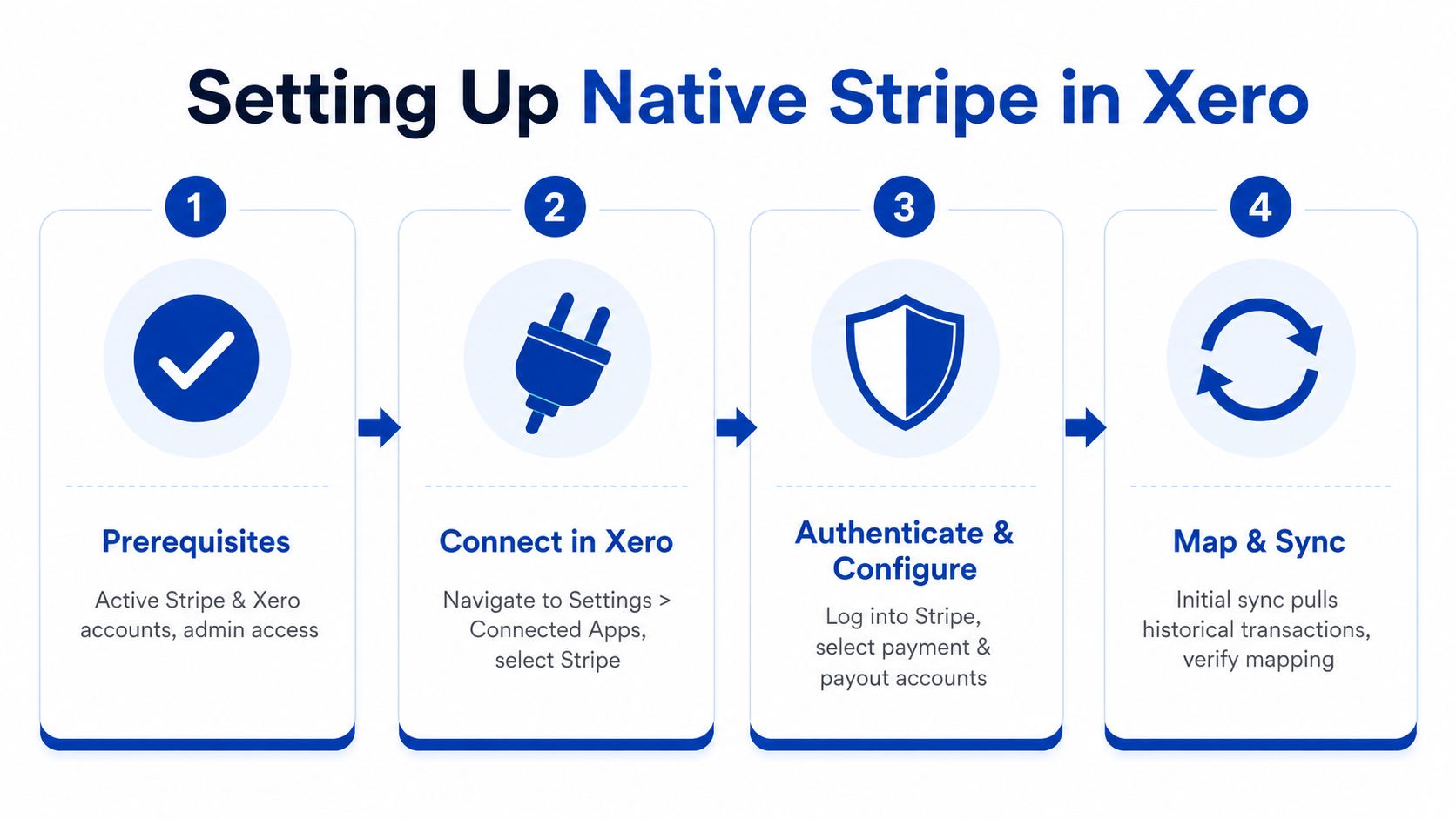
Confirm prerequisites. Make sure the correct Stripe and Xero organisations are active, and that the person authorising the link has the required administrative access. Check the operating currency and the bank account that receives Stripe payouts.
Open Xero's payment settings. Add Stripe as a payment service, name the connection clearly and select the payment methods you want customers to see. Clear naming matters when a business has several gateways or entities.
Authenticate Stripe. Sign in to the intended Stripe account and approve the connection. Don't rely on a browser session that may already be signed into another organisation. Confirm the legal entity and payout destination before proceeding.
Configure invoice payments. Xero can add a Pay Now button to invoices, allowing customers to pay through Stripe. Stripe's Xero support article states that customers can use various payment methods and that Xero automatically finds and matches relevant payments and fees when Stripe payouts arrive.
Review the account mapping. Establish the revenue account, fee account, clearing account and payout destination before testing. The native workflow should result in the gross payment, fee and net bank deposit being represented separately.
Test before releasing the workflow
Use a controlled live transaction before sending the process to every customer. Confirm that the invoice status changes correctly, the Stripe payment appears in the expected Xero account, the fee lands in the intended expense account and the payout can be matched to the bank deposit.
Avoid treating a successful authorisation screen as proof of a successful accounting configuration. The connection can be technically active while the chart-of-accounts mapping is unsuitable for BAS reporting or management reporting. Continuum Solutions' Stripe integration service page outlines the broader implementation concerns, including clearing accounts, merchant fees, revenue mapping and webhook testing.
Mapping Transactions Fees and Payouts Correctly
Most reconciliation failures start with one incorrect assumption: the bank deposit represents the sale. It doesn't. The deposit usually represents the amount remaining after Stripe has processed the underlying transactions, fees, refunds or disputes included in that payout.
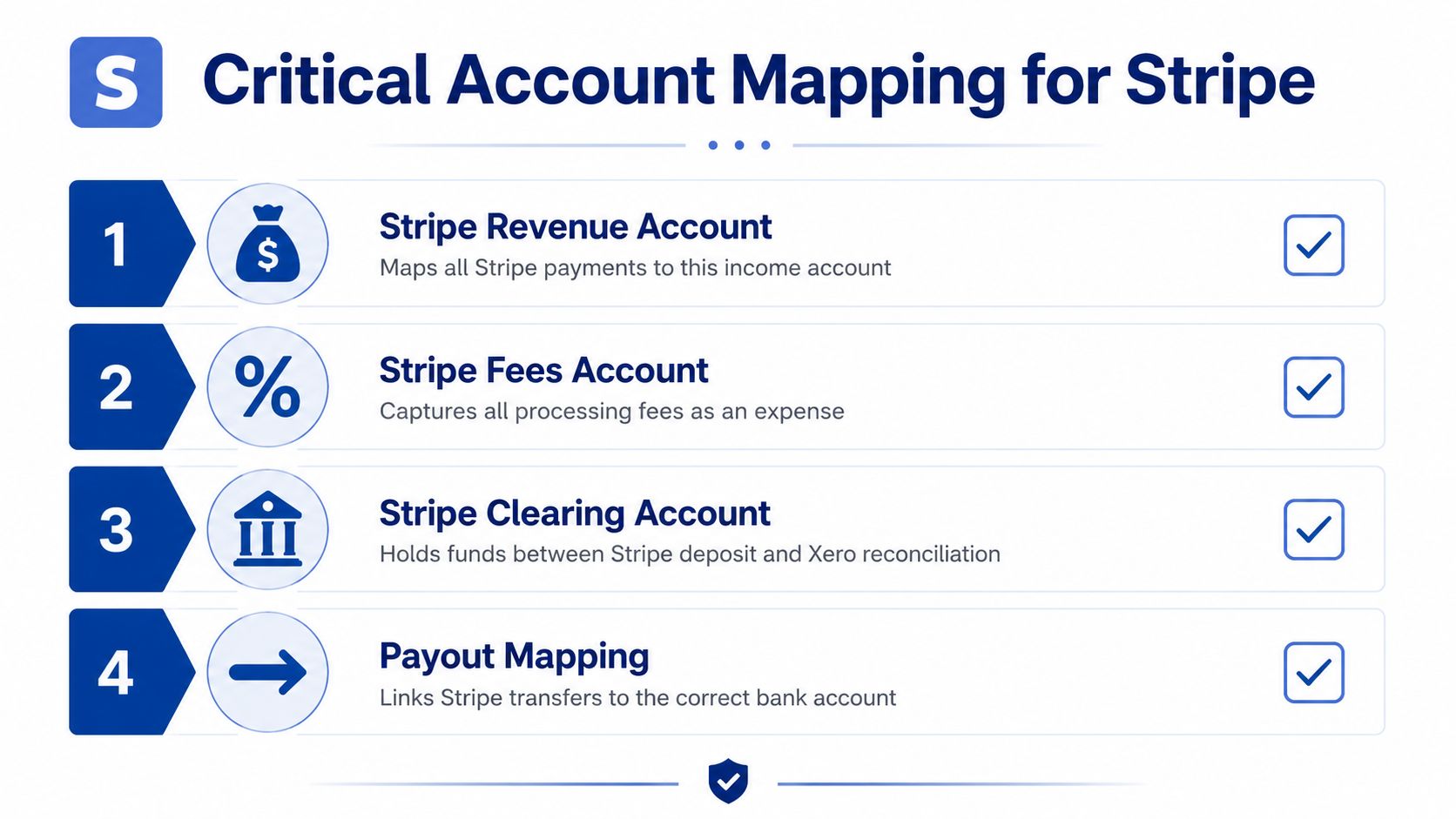
The reliable pattern is to use three distinct accounting destinations:
- Stripe revenue account: records the gross value of customer payments.
- Stripe fees account: records processing fees as an expense, rather than reducing revenue.
- Stripe clearing account: holds the balance between the original Stripe transaction and the later payout to the bank.
The clearing account is the control point. Payments enter it, fees reduce it, and the payout transfers the remaining amount to the business bank account. A correctly designed process should leave only the amount Stripe is still holding or the transactions awaiting settlement.
Reconcile the payout, not the order
Stripe commonly groups several transactions into a payout. Trying to match each customer order directly to the bank deposit creates unnecessary work and encourages duplicate postings. The more dependable method is to use the Stripe payout summary as the reconciliation unit, then verify the underlying transaction detail when the total doesn't agree.
A bookkeeper's routine can look like this:
- Review the payout summary in Stripe.
- Confirm the gross payments included in the payout.
- Confirm processing fees, refunds and disputes deducted from the balance.
- Check that the resulting net amount matches the bank deposit.
- Reconcile the transfer from the Stripe clearing account to the bank account.
- Investigate any residual difference rather than forcing a match.
TradieFlow's Australian reconciliation guidance specifically emphasises testing with live transactions, checking AUD alignment in both systems and accounting for GST on Stripe fees so the BAS input credit is captured correctly.
GST and fee treatment
Create a dedicated fee account and apply the tax treatment your Australian accountant has approved for Stripe charges. Don't assume the default Xero tax rate is correct. The fee invoice and supporting Stripe records should agree with the tax code used in Xero, especially where the business intends to claim a BAS input credit.
The Australian guide above is useful because it links the fee mapping decision to BAS preparation rather than treating fees as a cosmetic reporting category. That's the right mindset. A separate account makes processing costs visible, while a consistent tax code prevents each reconciliation period becoming a manual tax judgement.
Reconciliation test: If the clearing account doesn't explain the difference between gross Stripe activity and the bank payout, stop and fix the mapping before posting an adjustment.
Use live test transactions before go-live, confirm the account currency is AUD where appropriate and write down the expected accounting result. Continuum Solutions' custom web development capability becomes relevant when payment events must also update an ecommerce platform, membership system or internal application without creating a second, conflicting financial record.
Handling Multi-Currency Refunds and Multi-Channel Payments
A basic Stripe Xero connection can work well for one gateway, one entity and one operating currency. Edge cases appear when the business accepts foreign currencies, issues partial refunds or combines Stripe with PayPal, Afterpay, Shopify and direct bank payments.
Keep currency boundaries explicit
For a foreign-currency transaction, Stripe and Xero may calculate the Australian-dollar outcome using different conversion timing or rates. Don't hide that difference by altering the original sale. Record the source transaction in its appropriate currency, allow the settlement movement to be measured in the receiving currency and post the approved variance to a currency gain or loss account.
The exact treatment should follow the organisation's accounting policy. Operationally, the important controls are consistent currency configuration, clear settlement accounts and a review of exchange differences during payout reconciliation.

Process refunds and disputes through the original flow
A refund should reverse or reduce the original revenue classification, not become an unrelated expense. For a partial refund, only the refunded portion should reverse. If Stripe deducts the refund from a later payout, the clearing account should carry that deduction until the payout is reconciled.
Disputes need separate attention because the payment reversal and any associated dispute cost may arrive as different ledger events. Keep the disputed amount traceable to the original payment, and record any charge-related cost in the appropriate expense account approved for the business.
Build one ledger model for every gateway
The multi-channel model should use the same structure for each payment source:
| Payment source | Gross receipt | Fees and adjustments | Clearing account | Bank payout |
|---|---|---|---|---|
| Stripe | Revenue or invoice payment | Stripe fees, refunds and disputes | Stripe clearing | Stripe bank deposit |
| PayPal | Revenue or invoice payment | PayPal fees and refunds | PayPal clearing | PayPal payout |
| Afterpay | Revenue or order payment | Provider fees and adjustments | Afterpay clearing | Afterpay payout |
| Shopify | Order revenue or linked payment | Gateway and platform charges | Shopify or gateway clearing | Settlement deposit |
| Direct bank feed | Direct receipt | Bank adjustments where applicable | Usually not required in the same way | Direct bank transaction |
Payout reconciliation guidance from Payly Australia highlights the practical principle: payout summaries should drive reconciliation, while mismatches commonly arise from fees, refunds, disputes or missing bank-feed configuration.
Don't import the same order once through Shopify and again through Stripe. Choose the system of record for the sale, then use the payment provider's payout to settle the related clearing account. This prevents duplicate revenue and orphaned payment records.
Monitoring Troubleshooting and Best Practices
A connection can appear healthy while reconciliation is already drifting. Assign ownership for reviewing the Stripe clearing account, bank-feed status and exception queue on a defined schedule. For example, if Tuesday's Stripe payout lands in the bank but its fee line is absent in Xero, investigate that payout immediately rather than allowing the difference to sit among open items.
Diagnose the common failures
- Disconnected bank feed: Check Xero's connection status against recent Stripe activity. Reauthorise the connection, then identify the affected period before importing or entering transactions manually.
- Changed payout schedule: Compare Stripe's payout report with the bank deposit date. Reconcile by payout summary, not by assuming the previous timing still applies.
- Duplicate payment records: Check for overlapping native and third-party syncs, or a repeated import after a failed run. Stop the duplicate source, identify affected records and reverse duplicates carefully.
- Missing fee entries: Compare the gross payment, fee lines and net payout in Stripe. Confirm that the fee account and tax code still map correctly.
- Unexplained clearing balance: Trace open items by payout, refund and dispute. Identify the underlying event before posting any clearing journal.
Record the connection name, account mappings, tax treatment, payout account and test result. Keep a change log for mapping edits and newly added payment channels. For broader operational visibility, Continuum Solutions' application monitoring and debugging services can support integrations that extend beyond the native Xero workflow.
Xero's Tap to Pay on iPhone, introduced for Australian small businesses on 10 April 2025, means some businesses must include in-person Stripe-connected payments in the same reconciliation design. Xero's Australian Stripe information describes that extension.
Escalate to a connector when exception handling consumes more finance time than the native workflow saves. Consider a custom API integration when payment events must synchronise with internal systems, several entities need strict separation, or reconciliation requires controlled automation, alerts and audit logs.
Continuum Solutions designs and implements Stripe Xero integrations with account mapping, clearing-account reconciliation, multi-channel payment flows and API testing in mind. Visit Continuum Solutions to discuss an integration plan before duplicated transactions, missing fees or BAS reconciliation issues become embedded in the ledger.