
At month end, a Stripe payout lands in the Australian business bank account, but the amount doesn't match the Xero invoice total. The difference is usually sitting across processing fees, refunds, partial payments, or several transactions bundled into one payout. Finance then has to open Stripe, inspect each payment, and work backwards through Xero before the books can be closed.
A well-designed Stripe integration with Xero prevents that confusion, but only when the integration is treated as an accounting control layer rather than a payment button. The important decisions concern clearing accounts, fee and GST coding, payout matching, currency alignment, permissions, and exception monitoring. This guide focuses on those decisions for Australian operations, finance, and technology teams.
Table of Contents
- Why Stripe to Xero Integration Matters for Australian Businesses
- Choosing Between Native Stripe Feed and Third Party Connectors
- Prerequisites and Connection Setup in Stripe and Xero
- Mapping Strategy for Fees Refunds Payouts and Multi Currency
- Reconciliation Testing and Ongoing Monitoring Workflow
- Common Errors Security and Practical Next Steps
Why Stripe to Xero Integration Matters for Australian Businesses
Stripe and Xero solve different parts of the payment process. Stripe accepts the customer's payment and holds or settles the funds, while Xero records the invoice, payment status, fees, and bank activity. If those events aren't connected, the business can receive cash without having a reliable accounting trail that explains how the cash was calculated.
Xero's Australian Stripe integration is positioned as an embedded payments solution. A business can add Stripe as a payment option on invoices, then import transaction data into Xero through the Stripe feed. Xero's Australian product information describes the arrangement as a way to keep cash-flow data in one place, while its app listing records the integration as available in Australia since 4 February 2015. That history places Stripe among the earlier payment options embedded into the Australian Xero workflow, rather than treating it as a separate checkout system. Xero's Australian Stripe integration details explain the connection between invoice payments, Stripe data, and Xero records.
Faster collection still requires accurate records
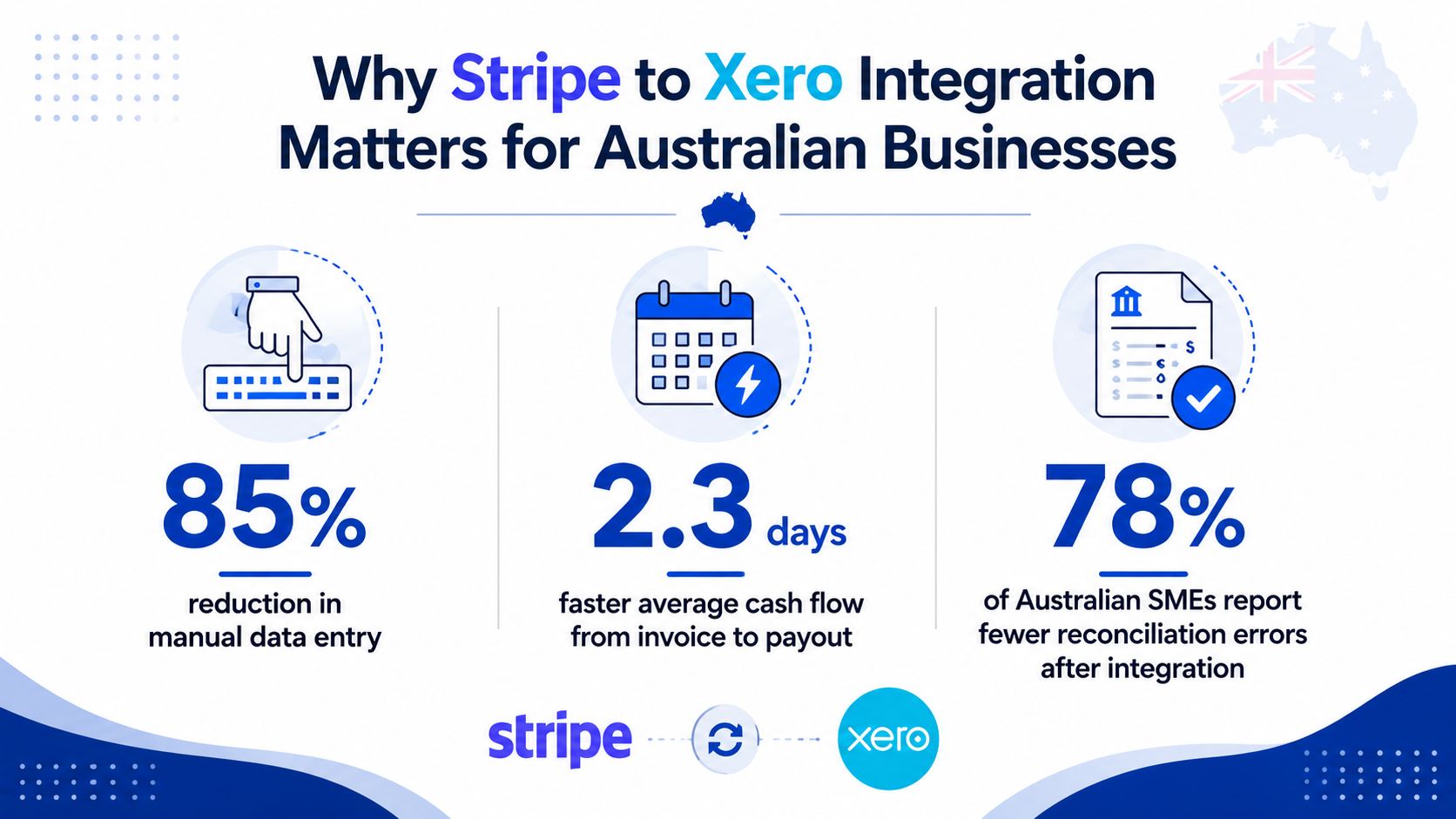
Stripe and Xero have publicly quantified a cash-flow benefit. Stripe's Xero case study says Xero customers get paid 14 days faster on average, while Xero's historical partnership announcement reported that businesses using Xero were paid 33% faster with eInvoices and payment methods such as Stripe, compared with traditional invoices. The figures come from different sources and contexts, so they shouldn't be treated as interchangeable forecasts for every Australian business. They do, however, show why invoice-embedded payments matter commercially. Stripe's Xero customer story provides the 14-day figure, while Xero's Australian payment information describes the invoice-based payment workflow.
For an Australian SME, the benefit isn't limited to receiving money sooner. Stripe payments can enter Xero as bank-feed transactions, be matched against invoices and payouts, and show payment status beside the accounting record. That creates a connected trail from invoice generation through card settlement, fee capture, and bank reconciliation. It also gives the finance team a clearer basis for GST review and month-end close.
Practical rule: Faster cash is valuable only when the books explain the gross sale, the processing cost, the refund activity, and the net bank deposit.
The right decision is therefore broader than “can customers pay by card?” A straightforward invoice-to-payout operation may be suitable for Xero's native connection. A subscription platform, multi-currency operation, or organisation with complex account mapping may need a connector or custom integration. Teams assessing the wider operating model can also review Continuum Solutions' business IT consulting services when payment data needs to connect with other operational systems.
Choosing Between Native Stripe Feed and Third Party Connectors
The native Xero Stripe feed is usually the sensible starting point when the accounting flow is uncomplicated. Stripe can be attached as a payment service to Xero invoices, transaction data can flow through the Stripe feed, and the resulting payout can be matched to the bank deposit. This keeps the architecture small and reduces the number of external credentials, subscriptions, and failure points.
A third-party connector becomes more defensible when the business needs more control than the native feed provides. Examples include subscriptions with complex billing events, multi-currency settlements, detailed refund logic, custom tax mapping, summary postings, or a chart of accounts that requires specific transaction-level rules. The connector adds capability, but it also introduces another vendor, another authentication path, and another service that someone must monitor.
Decision matrix for Australian teams
| Evaluation Criteria | Native Stripe Feed | Third Party Connector |
|---|---|---|
| Data mapping control | Suitable for standard invoice and payout flows | Better for detailed rules, custom account mapping, and transaction transformations |
| Fee handling | Supports fee entries within the Xero workflow | Can provide more configurable fee, refund, and settlement mapping |
| Multi-currency | Requires careful currency and account alignment | More appropriate where currency rules and settlement logic are complex |
| Maintenance | Lower operational overhead because the connection is native to Xero | Higher overhead because tokens, sync status, and vendor updates require monitoring |
| Cost | No separate connector subscription, but Stripe processing fees still apply | Connector subscription or implementation cost sits alongside Stripe processing fees |
| Auditability | Clear for straightforward invoice-to-payout flows | Stronger when the connector preserves source IDs, detailed mappings, and exception records |
| Best fit | Standard Xero invoices, one primary settlement flow, manageable exceptions | Subscription billing, complex refunds, higher transaction complexity, or multiple currencies |
| Main risk | Native limitations may push unusual transactions into manual work | Duplicates or silent sync failures if native and third-party feeds overlap |
The financial comparison must include more than licence cost. A native feed may appear cheaper, but manual exception handling can consume finance capacity when payout groups, refunds, or currencies become difficult to match. A connector may reduce that work, yet its cost is harder to justify if the native flow already maps cleanly and the team has a controlled review routine.
For an enterprise or NGO, auditability often carries more weight than convenience. Ask whether the selected option preserves invoice references, payment identifiers, fee lines, refund links, and payout relationships. Also define who owns failures. A native connection still needs an accountable finance owner, and a connector needs both a business owner and a technical support path.
Architecture recommendation: Choose the native feed for a standard invoice-to-bank workflow. Introduce a connector only when a documented exception pattern justifies the additional cost and operational dependency.
Teams that need to connect Stripe and Xero with broader systems, such as membership platforms, CRM tools, or internal applications, can assess Continuum Solutions' Stripe integration capability alongside the native and connector options.
Prerequisites and Connection Setup in Stripe and Xero
Connection errors often begin before anyone clicks the integration button. Prepare the Xero organisation, Stripe account, bank relationship, and chart of accounts first. That makes the setup easier to test and avoids importing transactions into an accounting structure that hasn't been agreed by finance.
Prepare ownership and account access
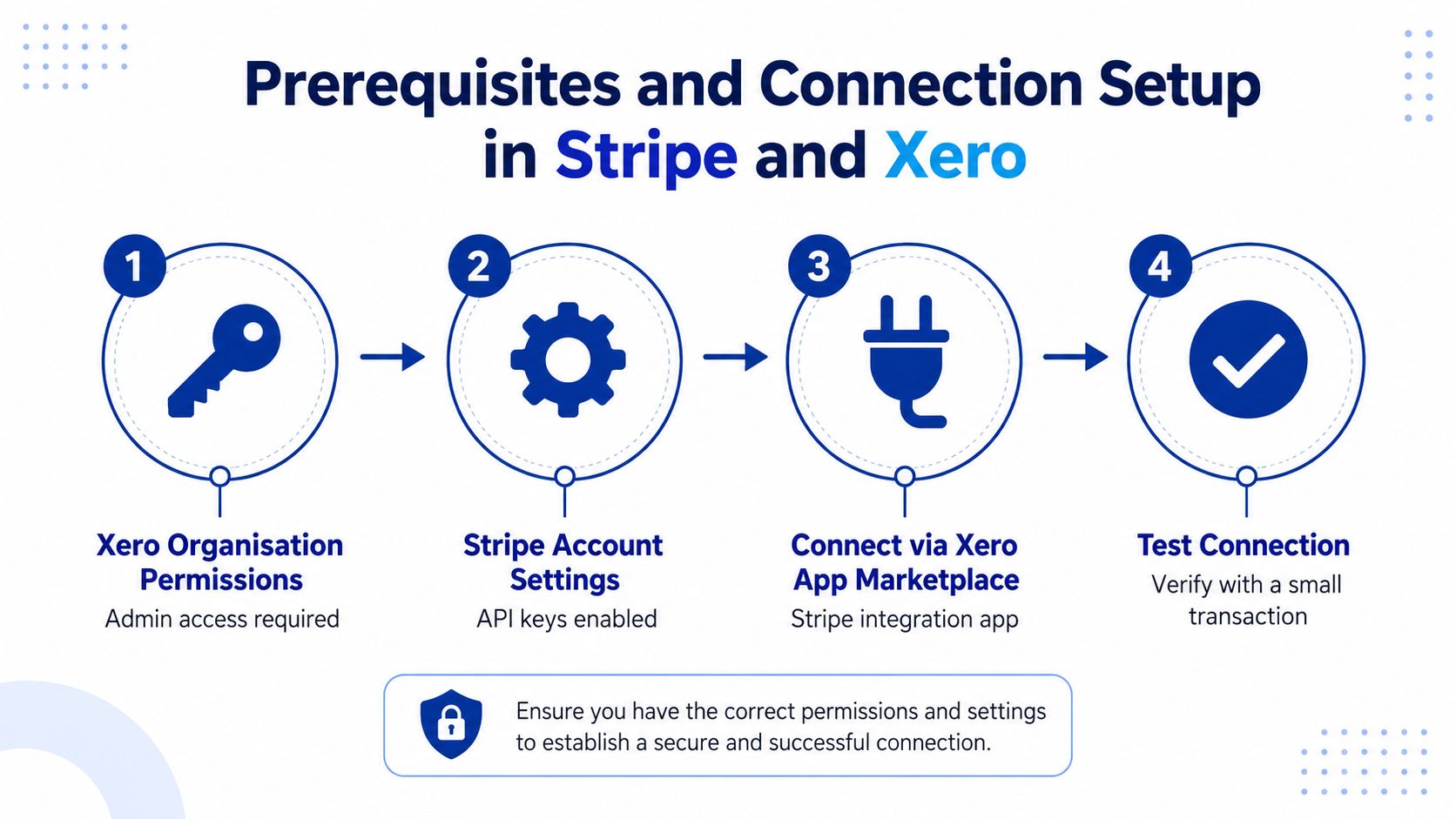
Confirm that the person performing the setup has the required Xero organisation permissions and that the Stripe account is owned by the correct Australian business entity. The legal entity, settlement account, reporting currency, and finance ownership should be clear before transactions move into Xero.
Prepare these items:
- Xero permissions: Use an account with sufficient organisation access to configure payment services, bank accounts, and chart-of-accounts mappings.
- Stripe ownership: Confirm that the connected Stripe account belongs to the entity issuing the Xero invoices.
- Settlement bank account: Identify the Australian bank account that receives Stripe payouts.
- Chart of accounts: Agree where gross sales, Stripe fees, refunds, and clearing movements will be recorded.
- Test invoice: Create an approved test invoice that can be paid and reconciled without disturbing a live customer account.
Stripe's support documentation states that the Stripe integration can create a Stripe account from within Xero, attach Stripe as a payment service to Xero invoices, create a spend money transaction for the Stripe fee, mark the invoice as paid, and match the Stripe payout to the bank deposit. It also specifies that the connected bank account in Xero must match the bank account attached in Stripe. Stripe's Xero setup documentation should be used to confirm the current connection sequence and account selection.
Configure the payment service
In Xero, open the payment service settings and add Stripe. Authenticate the correct Stripe account, select the bank account where payouts arrive, and attach Stripe to the invoice payment workflow. Xero's Australian payment pages state that users can connect Stripe or GoCardless, add a Pay Now button to invoices, and allow customers to pay from invoices sent by email or SMS. Xero's Australian accept-payments page describes that embedded invoice journey.
After connecting the payment service, enable or confirm the Stripe transaction feed. The purpose of the feed is different from the Pay Now button. The button gives the customer a payment route, while the feed brings transaction and payout data into the accounting workflow.
Stripe states that Xero can import transactions from the most recent payout when a direct feed is enabled. That makes the initial review important. Compare the imported transactions with the Stripe dashboard and identify the first payout that should be reconciled. Don't assume that connecting the feed has reconstructed every historical transaction required for a prior reporting period.
Verify before production use
Run a controlled payment against the test invoice. Confirm that the invoice changes to paid, the payment enters the Stripe feed, the fee is represented correctly, and the payout can be matched to the corresponding bank deposit. Check the Pay Now button on the invoice delivered by email or SMS, not only inside the Xero editing screen.
If the organisation needs API-based workflows beyond the standard connection, document authentication ownership, data fields, webhook behaviour, retries, and error handling before development begins. A specialist custom integrations service can help when Stripe and Xero must exchange data with an operational platform rather than operate as a standalone accounting pair.
Mapping Strategy for Fees Refunds Payouts and Multi Currency
The most reliable accounting pattern is a dedicated Stripe clearing account. It represents money held in the Stripe balance before it reaches the business bank account. Gross payments enter the clearing account, fees and refunds reduce the appropriate accounts, and the net payout transfers to the bank. When the flow is complete, the clearing balance should be near zero, apart from funds Stripe is still holding or transactions awaiting settlement.
Use separate lines for economic events
Don't post the net bank deposit directly to revenue. That hides the gross sale and the processing cost in one amount. Instead, use a mapping model that preserves each event:
- Gross sale: Post the full invoice or payment amount to the relevant sales revenue account.
- Stripe fee: Record the processing charge separately as a payment processing or bank-fee expense.
- Refund: Post the returned amount against the original revenue account or an agreed contra-revenue account, depending on the finance policy.
- Payout: Transfer the net amount from the Stripe clearing account to the actual bank account and match it to the bank deposit.
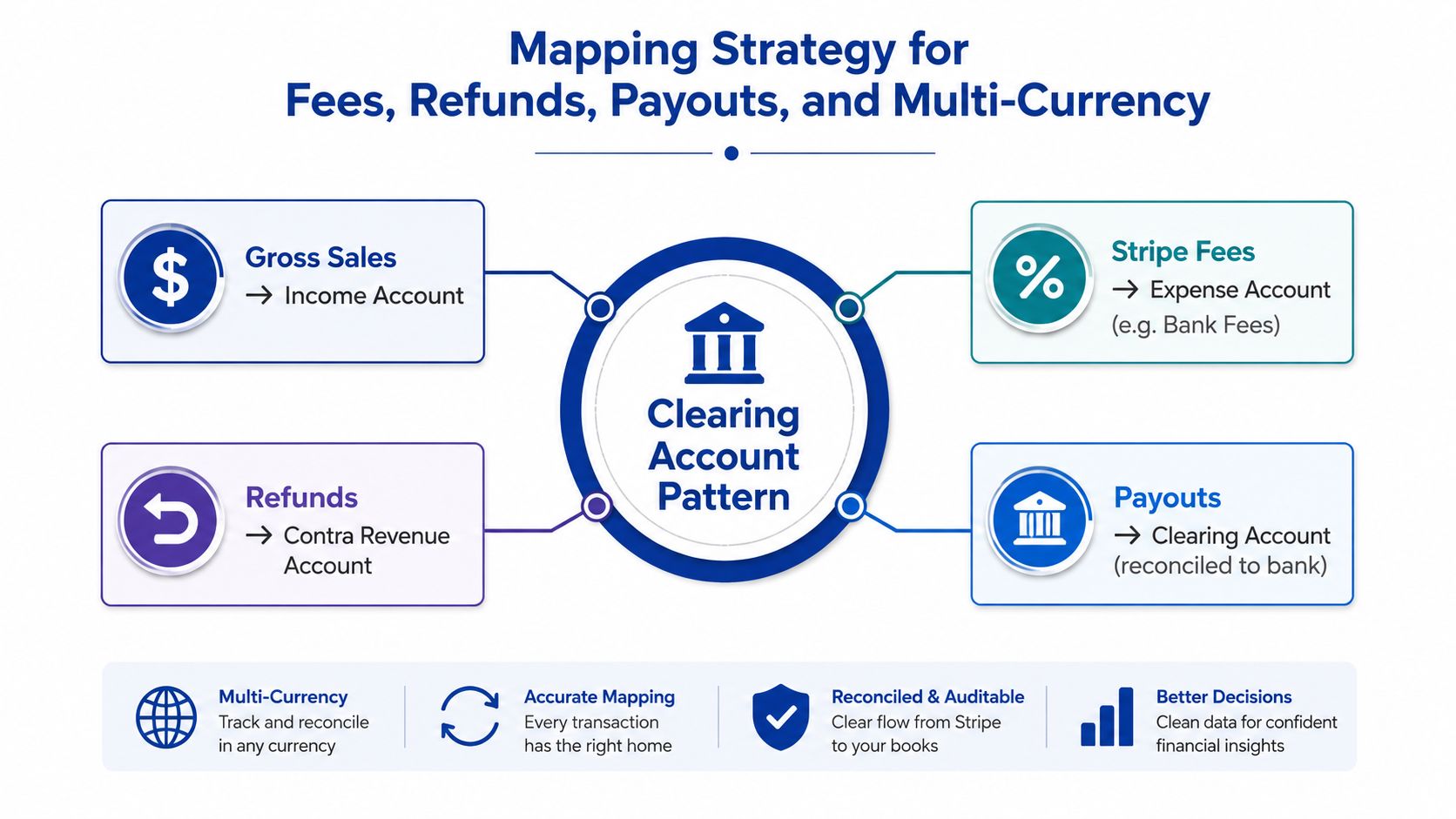
The practical Australian implementation pattern is to record sales and fees separately, match each Stripe payout to the bank deposit, and keep the clearing balance close to zero. Synetra's Australian Stripe and Xero guide describes this clearing-account approach and the problems it prevents, including unmatched invoices, incorrectly split fees, and refunds left unresolved.
Apply Australian fee and GST controls
Xero states that Australian domestic card payments are charged at 1.7% + AU$0.25 per transaction, including GST, while international cards are charged at 3.5% + AU$0.25. Xero also states that its Tap to Pay option has no signup, setup, or monthly costs. These figures apply to the referenced Australian payment product and shouldn't be used as a universal assumption for every Stripe product or payment method. Xero's Australian Tap to Pay pricing information provides the relevant pricing and GST context.
Set the fee account and tax treatment with the bookkeeper or tax adviser before go-live. The integration should not just create an expense line and leave GST classification to ad hoc reconciliation. Review whether the imported fee includes GST, whether the business can claim the relevant input tax credit, and whether the Xero tax code matches the supporting Stripe documentation.
Control currency and subscription exceptions
Multi-currency creates a second reconciliation problem because the payment currency, Stripe balance, payout currency, and Xero bank account may not align. Establish explicit AUD alignment for Australian reporting where appropriate, document conversion treatment, and avoid allowing a connector to translate currencies without a reviewable rule.
Subscriptions need similar discipline. A recurring Stripe payment may represent a Xero invoice, a billing event generated in Stripe, a credit, or a partial adjustment. Decide which system is authoritative for customer invoices and revenue recognition. If Stripe creates billing events that Xero doesn't represent as invoices, a payment feed alone won't provide a complete accounting control.
Control test: At period close, explain every non-zero clearing balance. It should represent a known timing, refund, currency, or exception item, not an unexplained accumulation.
Teams extending this model into customer portals, billing applications, or internal finance tools may need custom web development to preserve transaction references and approval rules across the full payment lifecycle.
Reconciliation Testing and Ongoing Monitoring Workflow
Go-live testing should follow the payment lifecycle, not just confirm that the connection status says “active”. A green integration status doesn't prove that invoices, fees, refunds, payouts, and bank deposits are mapped correctly.
Start with one controlled invoice. Send it with the Pay Now option, complete the payment, inspect the Stripe transaction, confirm the Xero invoice status, review the fee entry, and wait for the payout to appear in the relevant feed. Then match the payout to the bank deposit. Repeat the exercise with a refund and, where relevant, a foreign-currency transaction or subscription event.
Use a repeatable finance routine
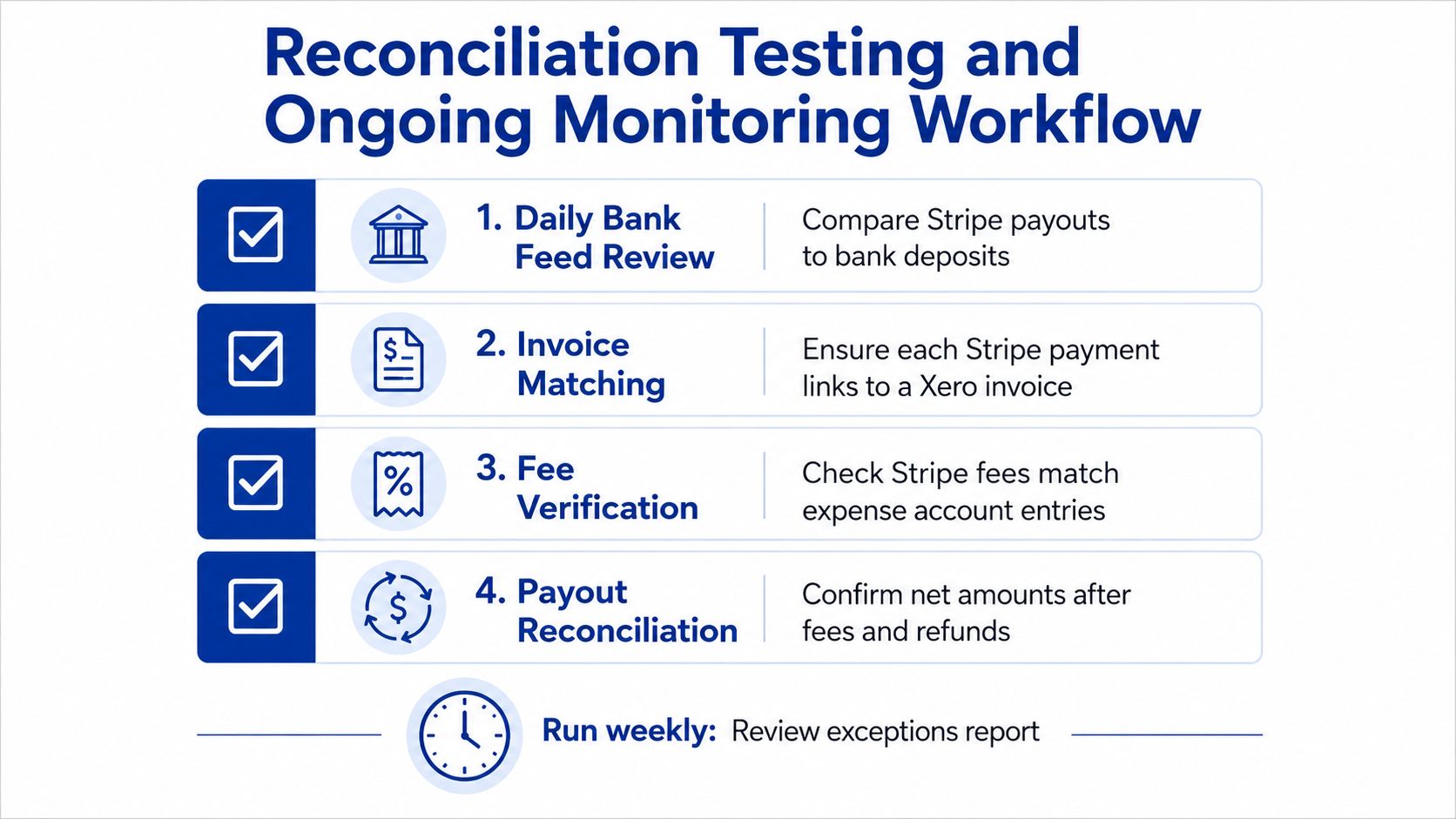
A practical operating rhythm separates daily review from month-end control:
- Review the bank feed: Compare Stripe payout deposits with the corresponding entries in the Xero bank account.
- Match invoices: Confirm each Stripe payment is linked to the correct Xero invoice, customer, and amount.
- Check fee entries: Review that Stripe fees have been created in the agreed expense account with the correct GST treatment.
- Reconcile payouts: Match the net payout after fees and refunds, then investigate residual differences.
- Review exceptions: Maintain a queue for missing feeds, unmatched refunds, currency differences, and payout timing gaps.
- Close the clearing account: At month end, document any remaining balance and its expected resolution date.
Xero's Australian payments workflow supports customers paying from an invoice by email or SMS, with Xero reconciling the payment automatically. That convenience doesn't remove the need to verify the underlying payout and fee records. Automated invoice status and accurate bank reconciliation are related controls, but they aren't the same control.
Monitor the integration as an operational service
Assign ownership for connection alerts, failed imports, revoked permissions, and unexplained payout gaps. An enterprise or NGO should also retain an audit trail showing who changed mappings, who approved exceptions, and how corrections were made.
Monitoring can be as simple as a scheduled exception report for a small operation. A larger environment may need application logs, alert routing, retry handling, and dashboards that distinguish a delayed payout from a failed synchronisation. Enterprise application monitoring and debugging is relevant when Stripe and Xero form part of a wider production integration rather than a finance-only configuration.
Go-live checklist: Test payment, invoice match, fee creation, payout match, refund handling, currency behaviour, permissions, and exception ownership before enabling the workflow for all customers.
Common Errors Security and Practical Next Steps
Most Stripe and Xero failures are control failures, not payment failures. The customer pays successfully, but the accounting record becomes unreliable because one part of the transaction lifecycle wasn't mapped or monitored.
| Failure mode | Likely root cause | Practical remedy |
|---|---|---|
| Payment not matched to an invoice | The invoice reference or customer data doesn't align | Review the source transaction and establish a consistent invoice reference rule |
| Fees not split correctly | The workflow posts only the net payout | Map gross revenue and processing fees as separate accounting events |
| Refund left unmatched | Refunds are handled outside the normal exception process | Route refunds to a defined contra-revenue or refund account and review them with payouts |
| Currency mismatch | Stripe settlement and Xero bank accounts use different currencies | Align AUD treatment explicitly and document conversion handling |
| Missing bank feed | The feed is disconnected or points to the wrong account | Confirm the Xero bank account matches the Stripe payout account and reconnect through controlled permissions |
| Payout gap | Multiple transactions, fees, and refunds are bundled into one deposit | Use the clearing account and match the complete payout composition |
| Duplicate entries | A native feed and connector both import the same activity | Select one transaction-import authority and disable the overlapping feed |
Security deserves the same attention as mapping. Use named user access rather than shared credentials, limit administrative permissions, separate payment configuration from reconciliation approval, and record changes to account mappings. Keep API credentials and integration ownership with the organisation, not an individual contractor's personal account. Test access removal and handover before staff or suppliers change roles.
Cost decisions should reflect implementation scope, not only the Stripe processing charge. A standard native connection may need configuration and finance testing, while subscriptions, multiple currencies, custom applications, or historical corrections can require connector licensing, integration development, monitoring, documentation, and handover. Start with a process map and sample transactions, then price the work required to make exceptions auditable.
Prioritise the next steps in this order:
- Stabilise the accounting model: Approve the clearing, fee, refund, payout, and GST mappings.
- Choose one feed authority: Decide whether the native feed or a third-party connector owns transaction imports.
- Test real exceptions: Include refunds, partial payments, bundled payouts, and currency scenarios.
- Assign operational ownership: Name the finance and technical owners for alerts and month-end review.
- Document handover: Store mapping rules, permissions, test evidence, and recovery procedures with the system documentation.
Continuum Solutions can assess your Stripe and Xero architecture, implement the clearing-account and reconciliation controls, and connect payment data with custom applications or operational platforms. Visit Continuum Solutions to discuss a phased integration, testing, monitoring, and handover plan for your Australian team.