
A finance manager opens Xero on Monday morning and sees that an invoice has been marked paid. Stripe shows the payment as settled, but the operating bank account contains a smaller net deposit. The bookkeeper tries to match the figures, discovers a refund from the previous payout, and then finds that the BAS worksheet no longer agrees with the fee treatment. Nothing is technically broken, yet the books are becoming difficult to explain.
That's the practical problem with a Xero Stripe integration. Connecting the platforms can automate invoice status updates and transaction feeds, but it doesn't automatically create a sound Australian reconciliation model. Stripe payouts combine customer payments, processing fees, refunds, disputes and, in some cases, currency movements. Xero then needs to represent those components without counting revenue twice or losing the GST trail.
Xero has described its Stripe relationship as a long-running product partnership. The relationship began in 2013, and by 2018 Xero was described as one of Stripe's first ecosystem partners, with the integration later expanding into automated reconciliation and invoice payment workflows, as documented by ZDNET's coverage of the Xero and Stripe partnership. In Australia, Xero continues to list Stripe as a supported payment method, while Stripe's setup guidance makes the organisation country and Stripe account country important because those settings can't be changed after submission.
Table of Contents
- Why Xero Stripe Integration Trips Up Finance Teams
- Setting Up the Native Stripe for Xero App
- Designing the Chart of Accounts for Clean Reconciliation
- Decomposing Stripe Payouts and Reconciling Fees, Refunds and GST
- Native App Versus Webhook and API Integration Patterns
- Security, Compliance and Multi-Currency Considerations
- Troubleshooting, Monitoring and Common Mistakes to Avoid
Why Xero Stripe Integration Trips Up Finance Teams
The invoice says paid, but the bank says something else
The most common mistake is treating a Stripe payout as though it were a single invoice payment. It usually isn't. A customer payment may mark an Xero invoice as paid at the gross amount, while Stripe later sends a net settlement to the bank after deducting processing fees. Refunds and disputes can be reflected in later payouts, which means the bank deposit may contain activity from several accounting events.
That creates four separate risks:
- Revenue distortion: Recording the net bank deposit as sales understates gross revenue.
- GST leakage: Failing to identify GST on Stripe fees can leave the expense and BAS treatment incomplete.
- Bookkeeping overhead: A part-time finance resource has to decompose bundled payouts manually.
- Audit exposure: Aged disputes and unexplained clearing-account balances make it harder to prove what happened.
The commercial case for the integration is still strong. Xero publicly said customers using Stripe get paid 14 days faster on average, a figure repeated in Stripe's customer story and Australian newsroom coverage. Faster payment collection helps accounts receivable, but it also increases the need for disciplined reconciliation because more payment activity moves through the system.
Practical rule: An invoice status is an operational signal. It isn't, by itself, proof that the bank deposit has been correctly reconciled.
Why the standard setup advice falls short
Most walkthroughs stop after connecting Stripe, enabling Pay Now, and matching the payout. That's sufficient for a straightforward invoice payment, but it doesn't answer how to handle gross receipts, Stripe fees, GST, partial refunds, chargebacks or payout batching.
The Australian context makes the gap more important. The Australian Bureau of Statistics reports that 3.9 million businesses were operating in Australia in June 2024, with small businesses making up the vast majority. Many of those businesses process payments without a dedicated finance systems team, so the accounting design has to be understandable, repeatable and auditable.
The right objective isn't merely to make Xero display “paid”. It's to create a controlled flow from Stripe transaction, to Xero clearing account, to operating bank account, with fees, refunds and GST visible at each stage.
Setting Up the Native Stripe for Xero App
The native app is the sensible starting point for a business with one Australian Stripe account, conventional invoice payments and a finance team that wants managed connectivity rather than custom software. It can reduce manual entry, but the setup still needs to be treated as a systems implementation.
Connection steps that prevent avoidable rework
Confirm the country settings first. Check the Xero organisation country and Stripe account country before authorising the connection. Stripe's guidance says those country settings must be correct because they can't be changed after submission.
Install the official connection. Open the Xero App Store, locate Stripe for Xero, and authorise access through the supported authentication flow. Use the narrowest permissions available for the role and environment. Don't connect a test Stripe account to a live Xero organisation.
Configure the invoice payment service. Add Stripe as a Xero payment service and enable the Pay Now option only after confirming the correct branding theme and bank or clearing-account destination.
Review fee handling. The Pay Stripe fees behaviour needs a deliberate decision. If fees are left off, Xero can receive the gross payment and the finance team can record the fee separately. If enabled, Stripe fees may be deducted before the payment is represented in the sync. The first approach generally gives Australian teams a clearer gross-revenue and fee audit trail, while the second can suit a tightly controlled workflow that already maps fee deductions correctly.
Map the chart of accounts. Use dedicated destinations for the Stripe Clearing Account, Stripe Fees expense, and the default revenue tracking category. The exact account codes should match the organisation's existing chart rather than being copied blindly from another file.
The fee setting also affects GST control. Stripe says GST applies to all Stripe fees for Australia-based businesses at the prevailing standard rate, as explained in Stripe's Australian tax guidance. Don't assume that the integration's default mapping will produce the BAS treatment your accountant expects.

For teams that need to connect payment acceptance to a broader operational workflow, Continuum Solutions' Stripe integration service is relevant when the native connection doesn't cover the required accounting or application behaviour.
Test before switching on automation
Run a controlled test transaction and verify four things:
- Invoice status: The intended Xero invoice is marked paid.
- Gross value: The original invoice amount remains visible in revenue.
- Fee posting: Stripe fees reach the intended expense account with the correct tax treatment.
- Payout matching: The bank deposit reconciles against the Stripe clearing account, not directly against revenue.
Stripe's support documentation says Xero usually matches bank payments with Stripe payments and fees that are automatically recorded when an online invoice is paid. If a suggested match doesn't appear, use Stripe's Xero reconciliation guidance and Xero's Find & Match function to locate the relevant transactions.
Designing the Chart of Accounts for Clean Reconciliation
A clean chart of accounts is more important than the connection method. I normally design the Stripe flow around a dedicated clearing account because it separates the point of sale from the point of settlement.
The control structure
The Stripe Clearing Account should behave like a virtual bank account. Gross payments enter it, fees and refunds leave it, and payouts transfer the remaining balance to the operating bank. The operating bank should never receive a second revenue entry just because a net Stripe deposit arrived.
A practical Australian structure includes:
- Stripe Clearing Account: A bank-type account representing funds held in Stripe.
- Stripe Fees: An expense account for processing charges.
- GST Clearing: A liability or control account for the GST component of Stripe fees where the accounting design requires it.
- Refunds: A separate account or credit-note workflow that reverses the original sales treatment.
- Chargebacks: A separate account for disputed sales reversals and related costs.
- FX Gain or Loss: An account for differences created by currency conversion.
Xero's published Australian integration pricing lists card fees of 1.8% plus A$0.30 for domestic cards and 3.5% plus A$0.30 for international cards, both GST inclusive. Xero also lists an Australia-specific instant payout fee of 1.5% of payout volume, exclusive of GST, on its Stripe pricing and fees page. Use those published rates for planning, but reconcile actual Stripe transaction data rather than relying on a forecast.
The specific account codes, such as a business's preferred fee code or GST control code, should be documented in the implementation design. Codes copied from another organisation often create duplicate categories or incorrect tax mappings.
A worked gross-to-net model
Consider a $100 AUD invoice including GST. The gross customer payment is $100, not the amount that eventually reaches the operating bank. The Stripe fee, any GST component recorded on that fee, and the net payout must each have a clear accounting destination.
The table below illustrates the control design. It's an accounting model, not a claim about the fee charged on every transaction.
| Component | Amount (AUD) | Xero Account | GST Treatment |
|---|---|---|---|
| Customer payment | $100.00 | Stripe Clearing Account, then revenue and GST on the invoice | GST follows the invoice tax treatment |
| Stripe processing fee | Actual Stripe fee | Stripe Fees expense | Apply the GST treatment supported by the Stripe fee tax invoice |
| GST component of fee | Actual GST component where applicable | GST Clearing or mapped input-tax account | GST-bearing expense component |
| Refund, if issued | Actual refund | Refunds or original revenue account | Reverse the relevant original treatment |
| Net payout | Actual settlement | Operating bank account | Transfer from Stripe Clearing Account |
The important control is that the gross invoice remains the source of sales and GST, while the Stripe fee remains an expense. The bank deposit is the final settlement leg. This structure preserves an audit trail for revenue collected, costs incurred and cash received.
Xero also warns that a receipt and tax invoice aren't interchangeable in every Australian transaction. For purchases of $82.50 or less including GST, a receipt can substitute for a tax invoice if it shows the supplier's name, amount paid, date and what was purchased, according to Xero's Australian tax invoice requirements. Keep Stripe fee invoices and supporting payout reports with the accounting records rather than treating the bank feed as the only evidence.
Decomposing Stripe Payouts and Reconciling Fees, Refunds and GST
A Stripe payout is a settlement container. It can include several customer charges, multiple fees, refunds, chargebacks, held disputes, foreign exchange movements and the final amount transferred to the bank.
The journal logic
For a simple $100 sale including GST, assume the Stripe fee shown in the relevant transaction record is $1.75 including GST. The net amount available for payout is $98.25. The journals should preserve the original sale and separately record the processing cost.
| Payout Component | Example Amount (AUD) | Xero Account | Debit/Credit | GST Treatment |
|---|---|---|---|---|
| Customer payment | $100.00 | Stripe Clearing Account | Debit | Matched to the Xero invoice |
| Sales revenue component | Relevant invoice amount | Revenue account | Credit | GST follows the invoice |
| GST collected on sale | Relevant invoice component | GST control | Credit | Based on the invoice tax rate |
| Stripe fee | $1.75 | Stripe Fees expense | Debit | Split according to the Stripe tax invoice |
| Fee settlement | $1.75 | Stripe Clearing Account | Credit | Records Stripe's deduction |
| Bank payout | $98.25 | Operating bank | Debit | Settlement only |
| Clearing transfer | $98.25 | Stripe Clearing Account | Credit | Clears the payout |
The exact GST split on the fee must come from the Stripe tax invoice and the organisation's BAS configuration. Australian businesses shouldn't label every fee GST-free. Stripe's Australian support guidance specifically says GST applies to Stripe fees, so the fee coding needs to reflect that treatment.
Where reconciliation usually fails
The bank feed sees the net payout. The Stripe feed sees the underlying activity. Those feeds arrive at different times, and one payout may cover many transactions. A manual journal posted to “fix” the deposit can therefore create a duplicate if the native integration later imports the same fee or refund.
Use this sequence:
- Start with the Stripe payout report. Identify every charge, fee, refund, dispute and adjustment included in the settlement.
- Compare the payout to the Stripe clearing account. The matching total should equal the bank deposit.
- Use Find & Match in Xero. Select the underlying transactions rather than coding the deposit directly to revenue.
- Check for later exceptions. A partial refund or released dispute may appear after the original sale and need its own controlled entry.
- Investigate negative balances. A negative Stripe balance may represent refunds, disputes or fees that haven't yet been offset by new customer payments.
The objective is not to force every payout into a single line. It's to make the clearing account explain the difference between gross payment activity and net cash settlement.
For complex exceptions, Continuum Solutions' custom integration service can be used to connect Stripe transaction data with Xero and an internal finance workflow, with the accounting rules documented before automation is deployed.
Native App Versus Webhook and API Integration Patterns
The native app, a webhook listener and a scheduled API integration solve different problems. Choosing between them should depend on control requirements, not on a preference for the newest architecture.
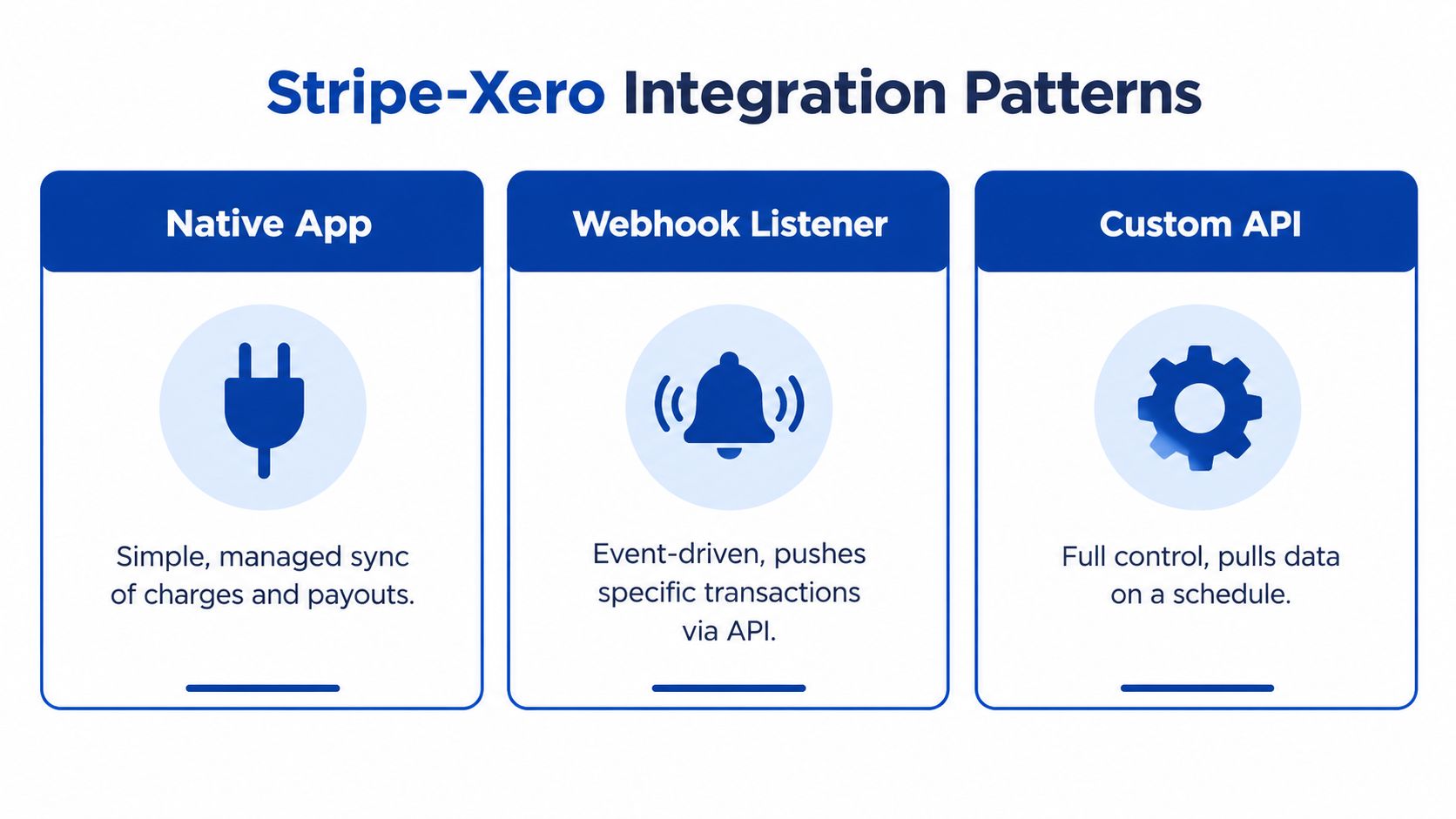
Comparing the three models
| Pattern | What works | Where it falls short | Suitable use |
|---|---|---|---|
| Native Stripe for Xero app | Fast deployment, managed connection and straightforward payment matching | Less control over custom fee accounts, multi-currency rules and historical backfill | Standard Australian invoicing with modest exception handling |
| Webhook listener | Near real-time events for charges and payouts, with application-specific rules | Requires signature verification, retries, idempotency and middleware hosting | Teams needing immediate operational visibility or custom workflows |
| Scheduled API integration | Strong auditability, controlled nightly processing and flexible historical recovery | Requires engineering ownership, monitoring and API maintenance | Finance teams with complex settlements, multiple currencies or formal audit requirements |
A webhook listener can receive events such as successful charges and paid payouts, then push approved accounting actions to Xero through the Accounting API. That model is responsive, but it shouldn't write blindly. The listener needs to recognise duplicate event delivery, preserve event IDs and defer posting when the underlying payout has not been fully understood.
A scheduled integration that pulls Stripe Balance Transactions provides a different advantage. It can process a complete settlement view in a controlled batch, calculate fee and refund components, and record a reconciliation result that finance staff can review. It's slower than an event-driven workflow, but often easier to audit.
A practical decision rule
Stay with the native app when the business has one primary settlement currency, conventional invoice payments, limited exceptions and a finance team comfortable reviewing payout matches.
Move to webhooks when customer-facing workflows depend on immediate payment state, or when the business needs to trigger fulfilment, access changes or internal notifications from Stripe events.
Choose a scheduled API layer when the business needs multi-currency accounting, payout decomposition, historical backfill, custom tax mapping, chargeback controls or a formal reconciliation report. If the finance team can't identify who owns failed events and replay procedures, custom integration is premature.
For businesses that need application work around payments, Continuum Solutions' custom web development capability is one possible delivery path. The important requirement is a documented accounting model before developers start writing API calls.
Security, Compliance and Multi-Currency Considerations
A payment integration handles financial records and identifiers, so security controls need to be part of the architecture rather than added after a reconciliation incident.
Protecting keys and event flows
Webhook endpoints should verify Stripe's signature using the endpoint signing secret. Without verification, an external party could attempt to send fabricated payment events into the reconciliation process.
Keep restricted keys and secret keys separate across development, testing and production. Store Xero OAuth tokens in a secrets manager, not in configuration files, spreadsheets or application logs. Establish a rotation process, record who owns each credential and revoke unused access during staff or vendor changes.
Stripe Checkout and Stripe Elements can keep raw card data away from your application. That benefit disappears if staff copy primary account numbers into Xero custom fields, spreadsheets or support tickets. The system should store references and transaction IDs, not raw card details.
Australian record and privacy controls
Australian teams should retain accounting records in a way that supports BAS review and audit evidence. The retention period and reporting obligations should be confirmed with the organisation's accountant, particularly where payment data feeds payroll, BAS or other statutory processes. If transaction data is exposed, the Office of the Australian Information Commissioner's Notifiable Data Breaches guidance is the appropriate reference for assessing notification obligations.
Multi-currency adds another layer. Stripe may accept a customer payment in one currency while settling funds into an AUD balance or another configured payout currency. Xero then needs the original transaction value, settlement value and any FX difference represented consistently.
Security boundary: Your integration should be able to reconstruct what happened without retaining card numbers.
A native connection can be adequate for a simple AUD flow, but it becomes harder to control when the business has foreign currency balances, conversion differences or several settlement accounts. A cloud architecture review, such as Continuum Solutions' cloud computing consulting service, can help define secret storage, network boundaries, logging and recovery responsibilities before the integration becomes operationally critical.
Troubleshooting, Monitoring and Common Mistakes to Avoid
Most production failures don't start with a dramatic outage. They begin with one missed event, one manual journal or one country mismatch that nobody notices until the month-end close.
A structured diagnostic sequence
Start at the payment processor, not in the general ledger.
- Check Stripe Dashboard events. Confirm whether the charge, refund, payout or dispute exists and whether its delivery status is successful.
- Inspect the Xero bank reconciliation screen. Look for an unmatched operating-bank deposit and the corresponding Stripe clearing entries.
- Review the Stripe for Xero connection. Confirm authentication, account selection and any available sync or connection warnings.
- Replay safely when required. Use the Stripe CLI or supported event tools to replay an event in a controlled environment, not directly against live accounting data without an idempotency check.
- Audit Xero through the API. Review the invoice, contact, payment and journal references when the user interface doesn't explain a duplicate or missing entry.
- Inspect raw bank-feed lines. The bank feed may reveal that the deposit date, reference or amount differs from the payout report.
The fee account deserves its own review. If transaction coding changes, the business can end up with several versions of “Stripe fees”, inconsistent GST treatment and a profit report that can't be compared month to month.
Monitoring that catches drift early
Set operational alerts for:
- Payout variance: A payout total doesn't equal the selected Stripe clearing transactions.
- Fee drift: The effective fee behaviour changes from the expected account mapping or pricing profile.
- Refund movement: Refund activity rises relative to sales and needs management review.
- Webhook delivery: Events fail, remain pending or arrive repeatedly without a successful idempotent result.
- Unreconciled items: Bank-feed transactions remain unreconciled beyond the business's close policy.
| Failure mode | Symptom | First check | Root cause fix |
|---|---|---|---|
| Country mismatch | Connection fails or the wrong account is presented | Xero organisation and Stripe account country | Correct the setup before reconnecting |
| Duplicate journals | Revenue or fees appear twice | Native feed and custom integration activity | Disable overlapping writers and reverse duplicates under accounting review |
| Payout timing difference | Deposit has no immediate match | Stripe payout date and bank-feed date | Match by payout contents, not date alone |
| GST drift | BAS control totals don't agree | Stripe fee tax invoice and Xero tax codes | Standardise fee coding and document the tax rule |
| Missed refund or dispute | Clearing account remains open | Stripe event history and payout report | Add exception handling and reconcile the reversal separately |
| Foreign currency mismatch | Small residual balance remains | Stripe settlement currency and Xero currency treatment | Post approved FX differences to a dedicated gain or loss account |
Reactive reconciliation is expensive because the evidence is scattered by the time someone investigates. A monthly close procedure should include a clearing-account review, fee-account review, refund and dispute ageing, and a confirmation that only one integration path writes each transaction type.
One final warning: don't assume a native app remains suitable as transaction complexity grows. The decision to graduate to a webhook or API-driven layer should be based on exceptions, currencies, audit needs and ownership, not an arbitrary transaction threshold.
Continuum Solutions designs and maintains Stripe, Xero and API integrations with clearing-account logic, webhook controls, monitoring and documented handover for Australian finance teams. If your current connection marks invoices paid but leaves payouts, fees or GST unresolved, visit Continuum Solutions to discuss a controlled integration assessment and implementation plan.